The menu is on Google and Facebook
The customer sees the food, the prices and the lunch offers while still choosing where to go.
Your choice has been saved.
We respect your privacy
Three are optional: statistics, how you reached us and ad measurement. If you decline, the site works fully. We use cookies and similar technologies to make the site work. We keep your choice; change it from “Cookies” below.
We couldn't save your choice in your browser. Until we can, we use only the necessary cookies.
ISKA Menu is a digital menu for restaurants and eateries: prices, photos, descriptions, allergens and the lunch menu are changed in the portal, and guests see the new version as soon as you publish it.
ISKA Menu is a digital menu for restaurants, eateries and hotel restaurants. The guest opens it in the browser on their phone, with no app. You change prices, photos, allergens and the lunch menu from the portal, and from a phone too, and the changes go live after publishing. The free plan is for a basic menu in Bulgarian; the QR code, photos, lunch menu and up to four languages are in Plus.
Demo menu Demo menu of Irodopi, the company behind ISKA. Not a client story.
It can help the customer choose where to eat and decide what to order.
The customer sees the food, the prices and the lunch offers while still choosing where to go.
A family sees that you offer pizza at suitable prices. They have a reason to come in rather than walk on.
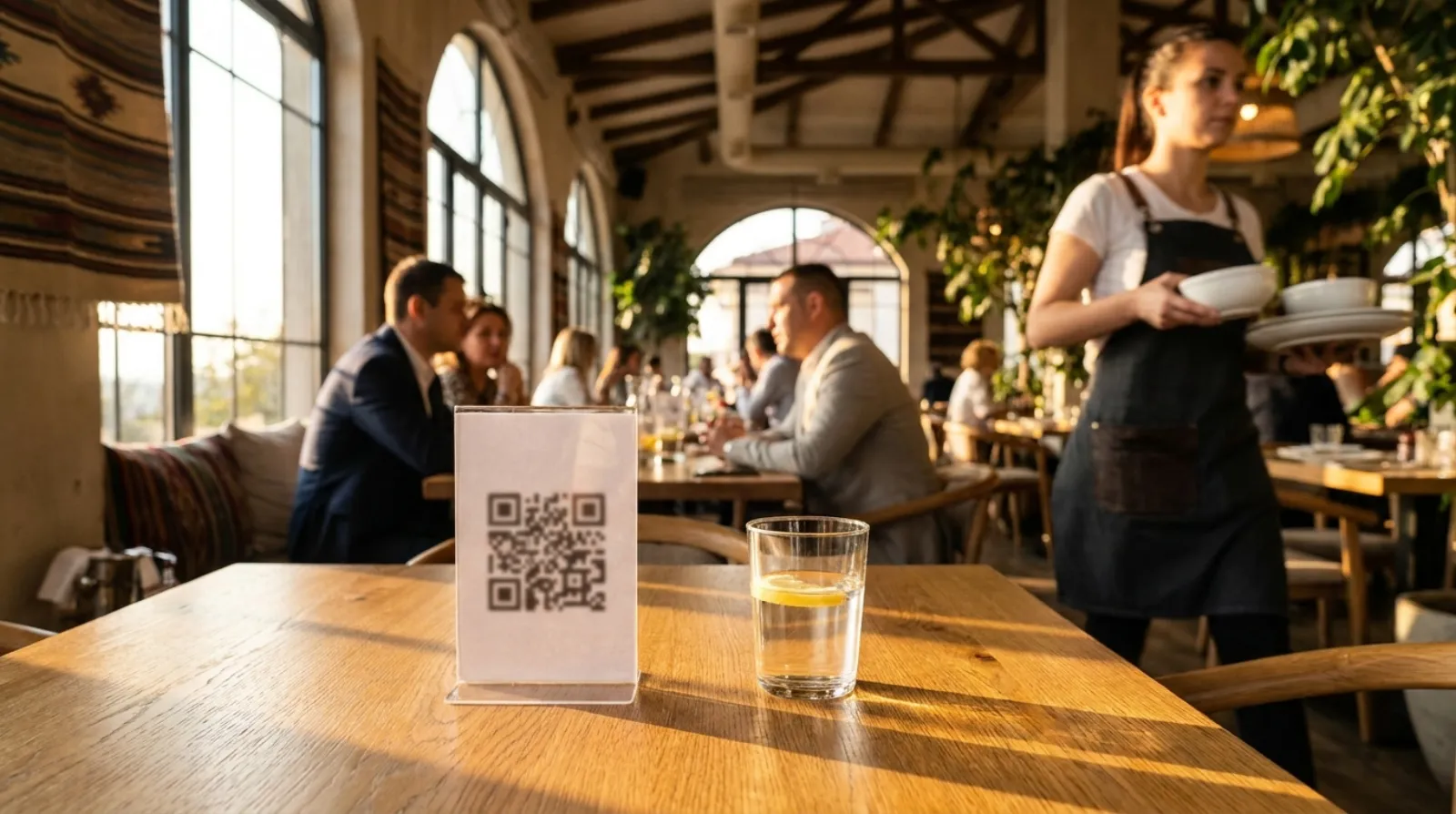
While the waiter serves another table, the customer scans the code and chooses. By the time the paper menu arrives, they are ready to order.
After the first order the paper menu is often taken away. With the digital menu the customer can look at desserts, drinks or extra offers at any time — without waiting for a waiter.
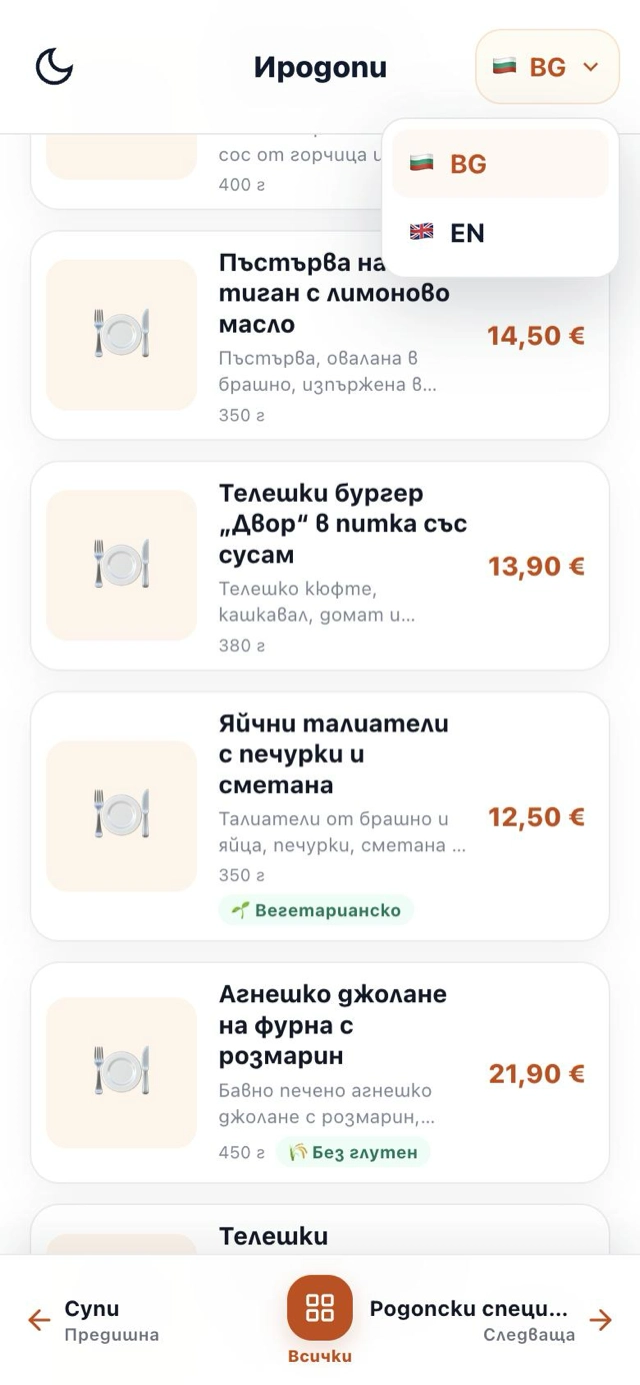
Keeping a printed version for every language is slow, expensive and almost impossible. With the digital menu you add a language quickly and without unnecessary costs, and guests read the menu in their own language.
You update it once. The new offers appear at the table, on Facebook and through the link on Google.
ISKA links what the restaurant wants to achieve with the convenience the guest expects.
The card does not replace cash. The digital menu does not replace the paper one. It gives one more convenient way to choose — before the visit, while the guest waits and after the paper menu has been taken away.
No complicated systems. Just an up-to-date menu that works where the customer needs it.
You change a price, add a product or hide a dish that is no longer offered (for example, pickled vegetables in summer). Guests see the change immediately.
You update it once and use the same link everywhere — in your Google profile, social media, messages or a QR code. That way customers always see the current menu, without you uploading new photos every day.
You get a permanent link and a QR code. You put them on the tables, in the window, on the website, on Google and on Facebook.
The customer scans and browses in a browser. No app, registration, password or waiting.
On paper, every change means a new translation, a new file and a new print run for every language. In ISKA all versions are maintained digitally in one place.
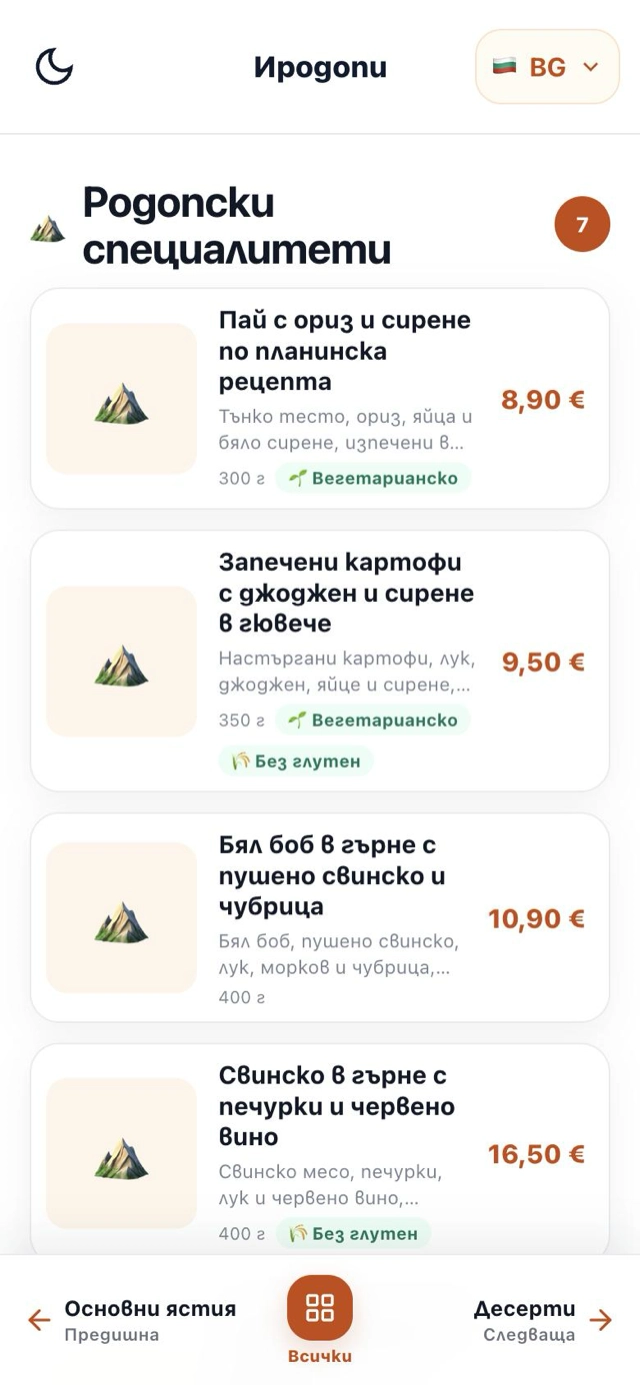
Photos and clear descriptions help guests picture the dish and choose faster. That makes choosing easier, and the menu looks more appetising.
You do not upload different files in different places. You share one address, and when you update a price or a lunch offer, it leads to the current menu everywhere.
Different soup today, and the dessert has run out? You update the menu once from your phone, and customers see the current version everywhere — through the QR code, Google, Facebook or the direct link — and you can print it for the tables too.
The strongest combination is not “paper or QR” but a paper menu for the familiar experience plus digital access whenever it is more convenient.
That many of those surveyed look at the menu online before choosing a new restaurant. That is why the link on Google and on social media has a real job to do.
TouchBistro · Diner Trends Report 2024 · 1,500 people surveyed in the USTwo thirds of those surveyed prefer a menu with photos. Clear visuals help the customer understand what they will get.
Toast · Survey of 850 diners in the US, 2024Most of those surveyed still prefer a physical menu. ISKA does not remove it — it adds convenient access before the visit and when the paper is not on the table.
Toast · Survey of 850 diners in the US, 2024Edit prices, photos, descriptions and allergens in the portal; guests see the changes after publishing.
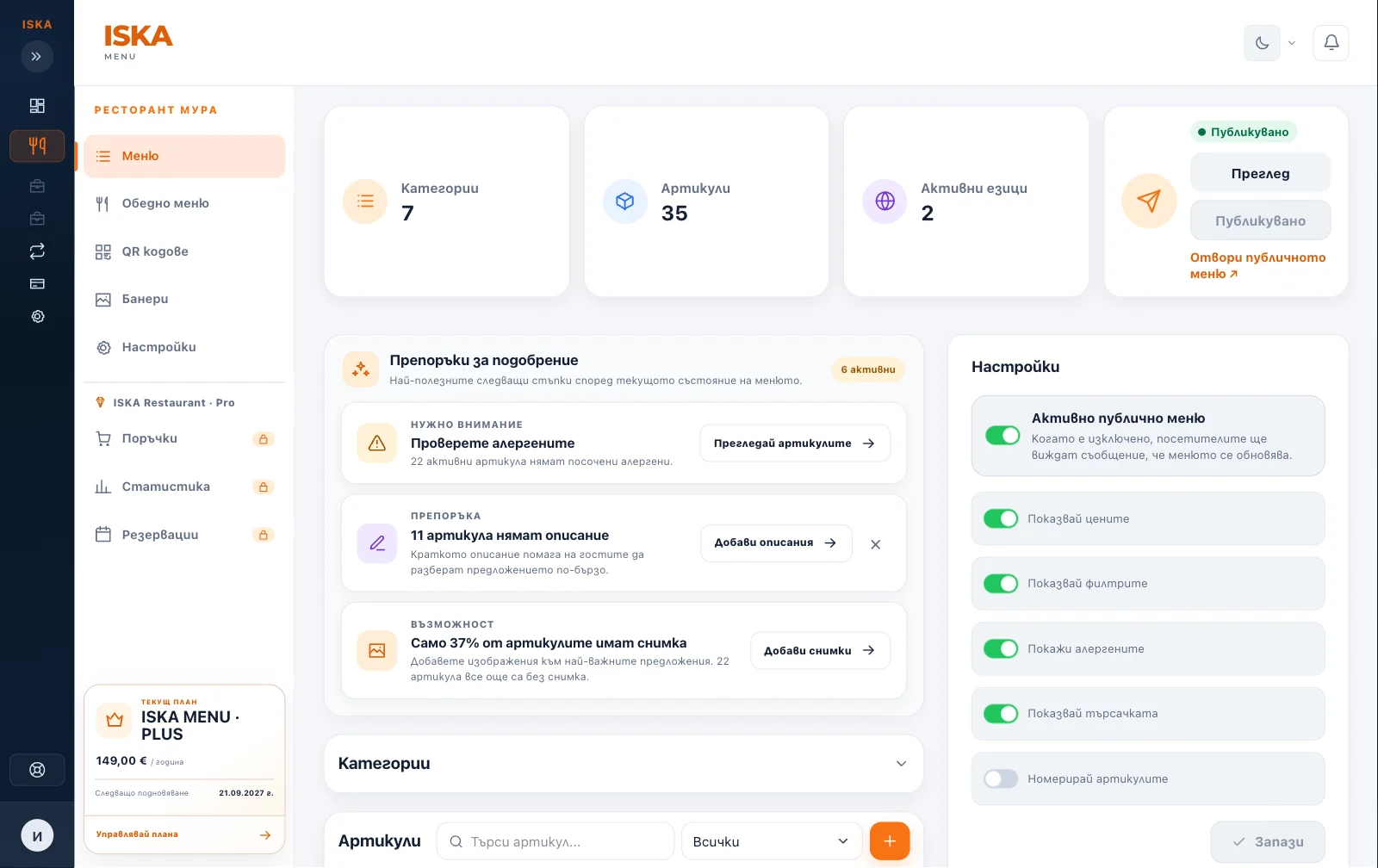
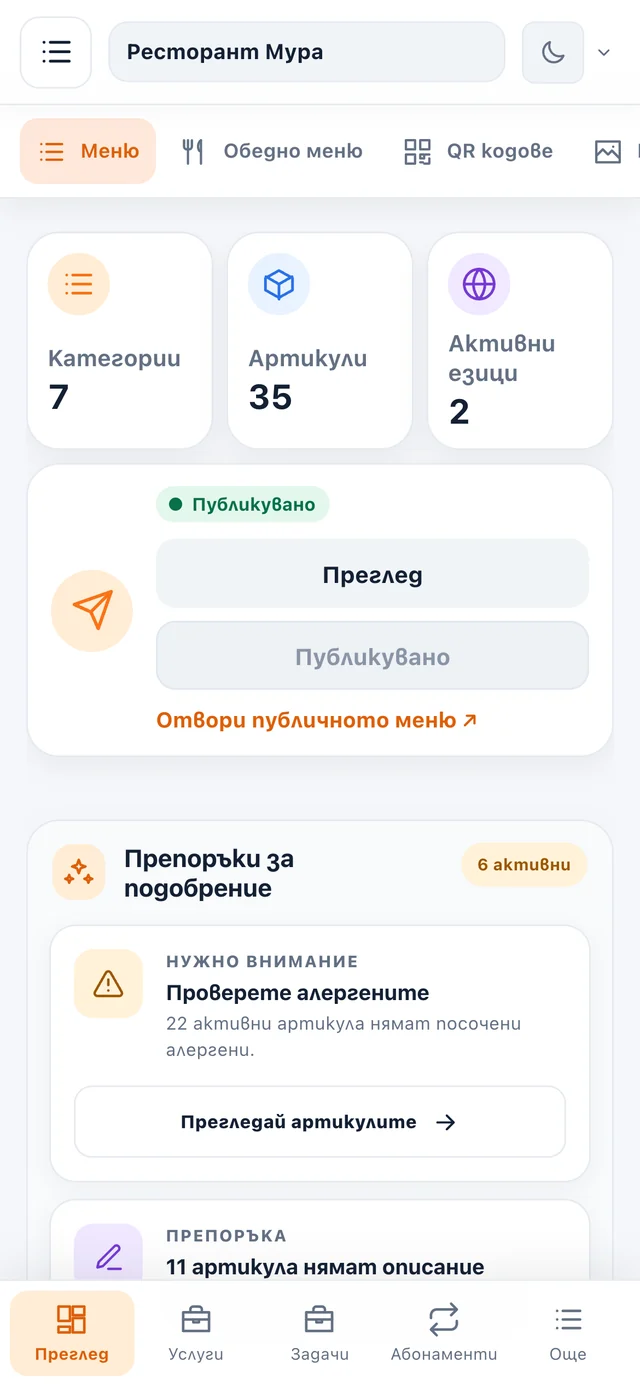
Categories, items, prices, photos and descriptions — with drag-and-drop ordering and bulk actions.
Changes stay as a draft until you explicitly publish the menu.
An item that is out of stock disappears from the menu with one action and comes back when it is available again.
The address stays the same with every update. One QR code for the venue's menu.
The portal works on a phone, tablet and computer — a price can be changed from the dining room too.
The digital menu complements the printed one and does not necessarily replace it.
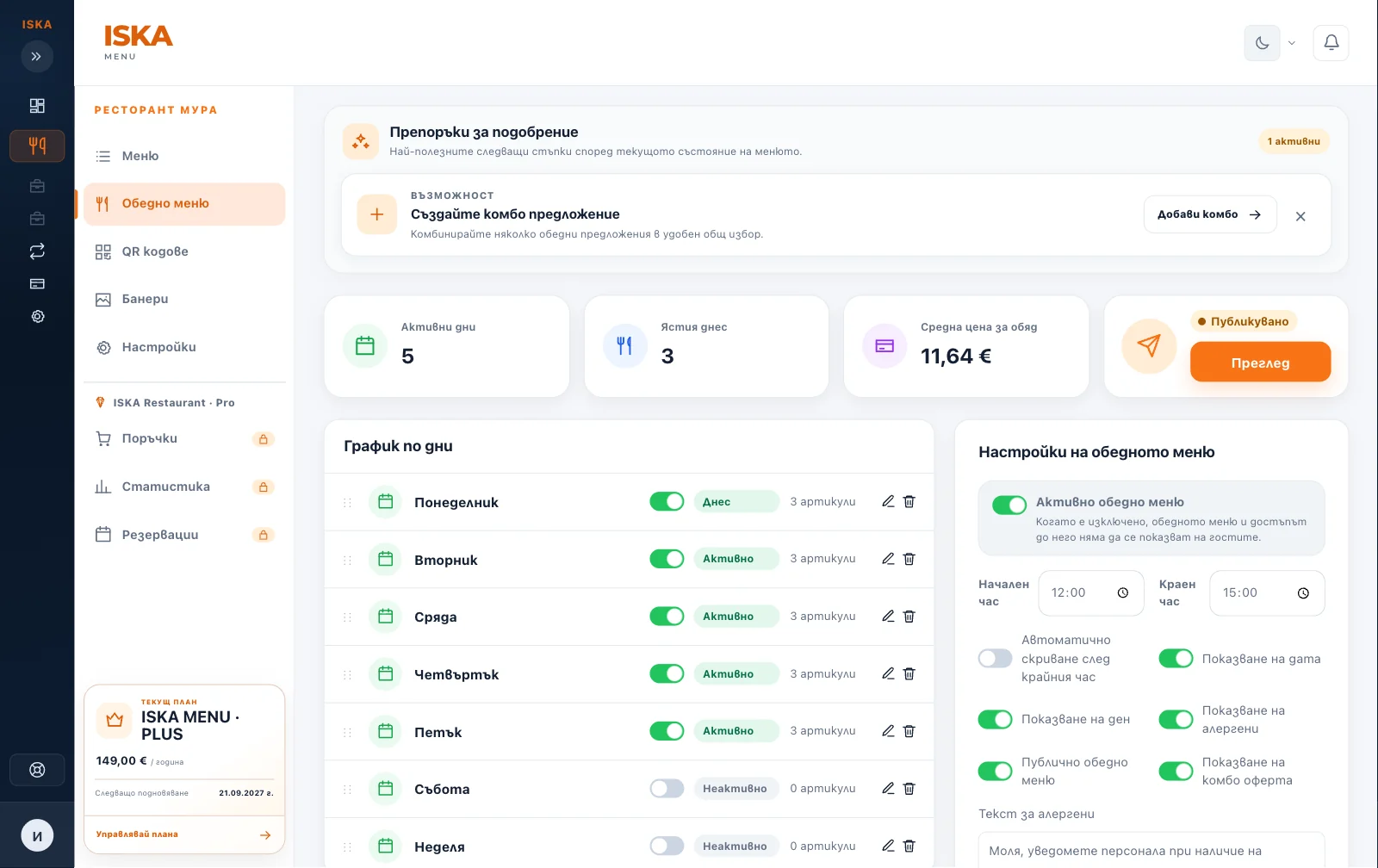
Copy dishes between days, set lunch prices and print an A4 menu; guests see the current day.
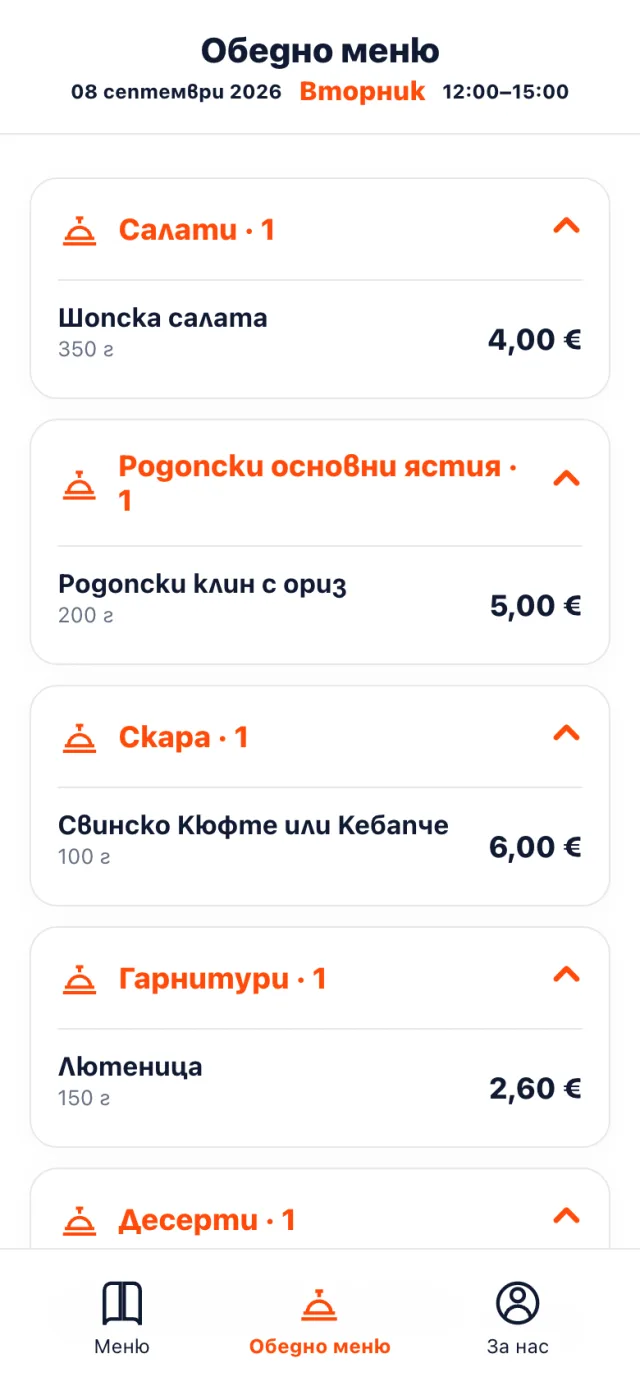
Maintain the translations from one place. ISKA Menu · Plus shows the menu in up to four languages.
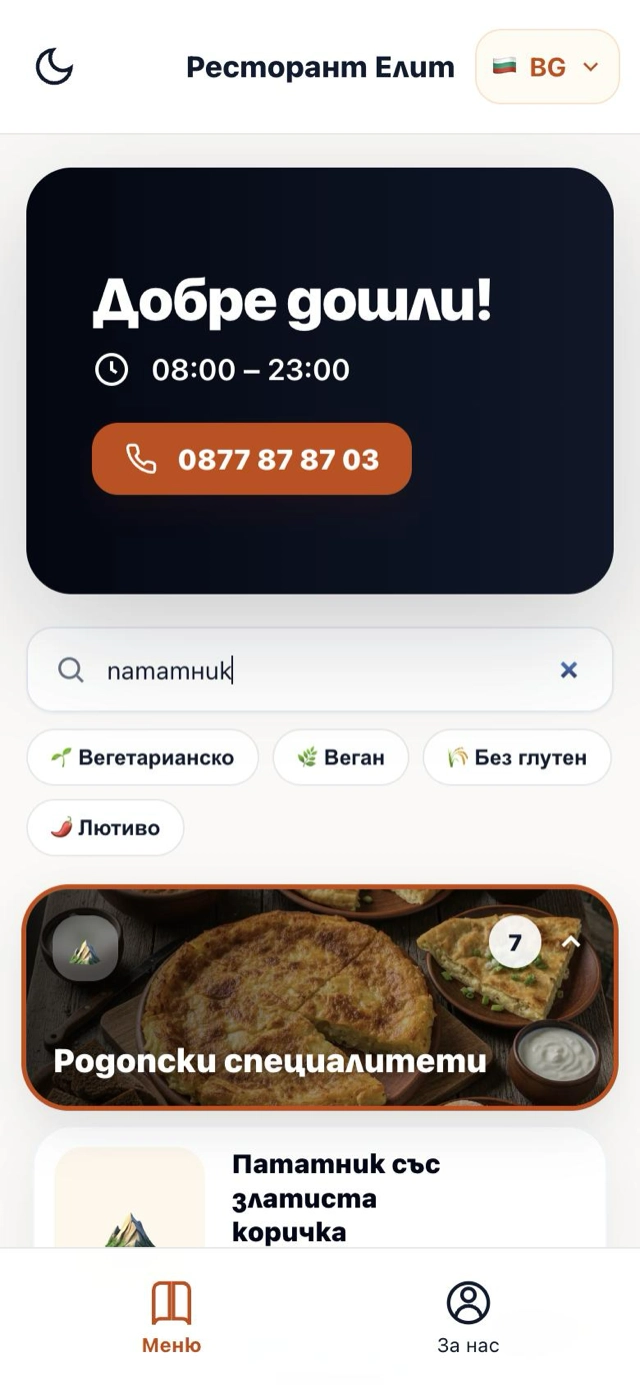
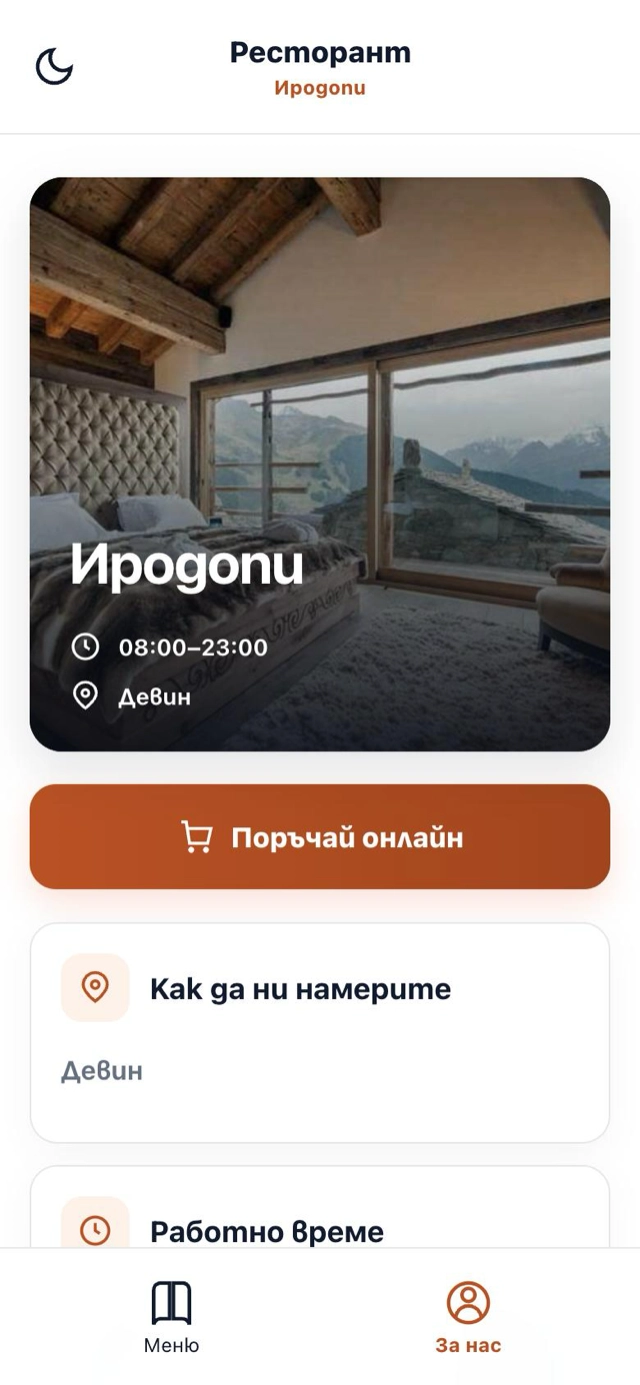
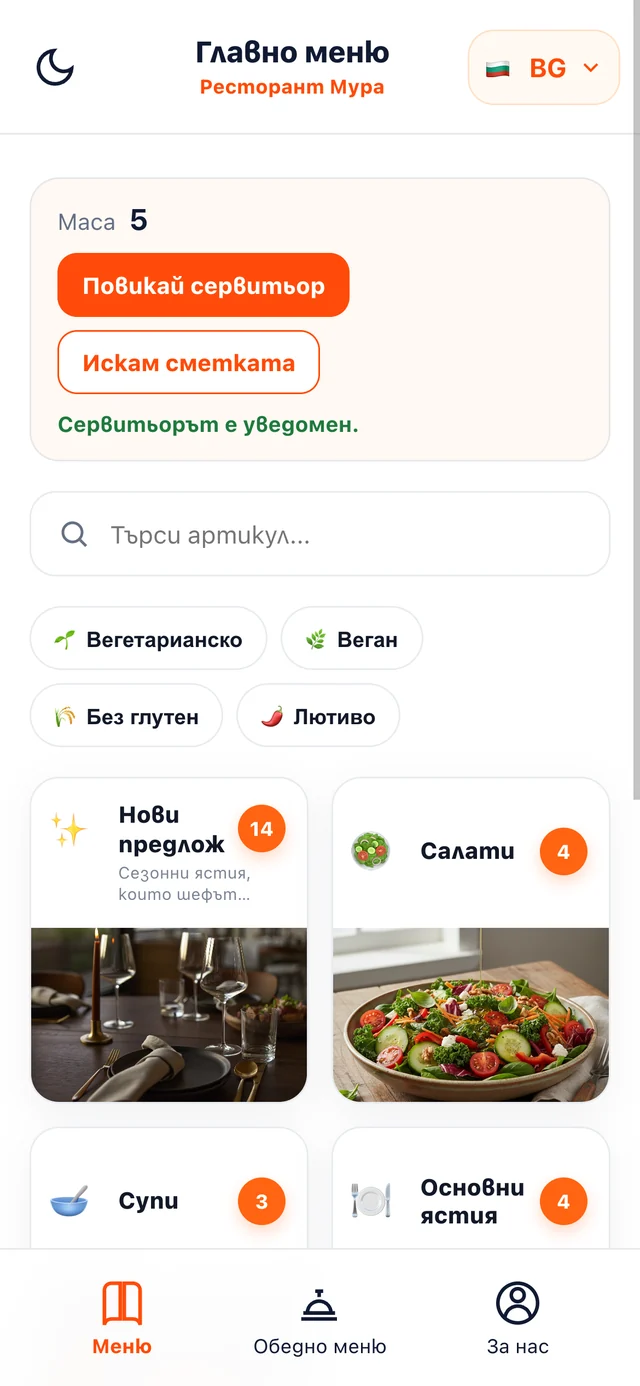
A cover, categories with photos, search and filters, and an “About us” section with contact details and opening hours.
ISKA Restaurant · Pro adds a QR code for every table, waiter calls, bill requests, orders to the kitchen and notifications for the team.
If your venue has a restaurant or you offer breakfast, guests see the menu on their phones and you change it in minutes. ISKA Menu works on its own and does not require a website or a PMS; it can be combined with ISKA Guide and ISKA Assistant.
For getting started with a basic digital menu in Bulgarian.
For a visually rich menu with photos, a lunch menu and several languages.
You start with 3 months of ISKA Menu · Plus at no charge. After that the menu stays on the free plan and your content is kept — or you choose a paid plan.
Your menu is kept even if you do not continue on a paid plan — your content is not lost.| Feature | ISKA Menu · Free | ISKA Menu · Plus | ISKA Restaurant · Pro |
|---|---|---|---|
| Main menu with categories and items | ✓ | ✓ | ✓ |
| Menu languages | 1 | 4 | 10 |
| Item photos | — | ✓ | ✓ |
| Restaurant cover | — | ✓ | ✓ |
| “About us” section with contact details and opening hours | — | ✓ | ✓ |
| Lunch menu | — | ✓ | ✓ |
| Public menu themes | 1 | 2 | 3 |
| QR code for the venue | — | 1 | 1 |
| QR code for every table, waiter call and bill request | — | — | ✓ |
| QR codes for separate locations | — | — | ✓ |
| Orders from the table, kitchen screen and team notifications | — | — | ✓ |
| Reservation requests | — | — | ✓ |
| Promotional banners | — | ✓ | ✓ |
| Dark mode for the guest | — | ✓ | ✓ |
| Search and filters in the menu | — | ✓ | ✓ |
| Google rating in the menu | — | ✓ | ✓ |
| Selected reviews | — | ✓ | ✓ |
| Social profiles | — | ✓ | ✓ |
| Category layout | — | ✓ | ✓ |
| Bottom navigation for the guest | — | ✓ | ✓ |
| Analytics dashboard | — | — | ✓ |
| CSV export of analytics | — | — | ✓ |
| Custom domain | — | — | ✓ |
A digital menu for restaurants and eateries. The guest opens it in the browser, from a QR code or a link, with no app; you change prices, photos, descriptions, allergens and the lunch menu from the portal, and from a phone too.
There is a free plan with no time limit and a paid ISKA Menu · Plus for €199 a year. Orders from the table and calling a waiter are in the separate ISKA Restaurant · Pro (from €299 a year). Current prices are at /pricing.
Yes. ISKA Menu · Free is free, with no time limit: one menu in Bulgarian, with an unlimited number of categories and items. The QR code, photos and lunch menu are in the Plus plan.
Yes. You start with 3 months of ISKA Menu · Plus at no charge; after that the menu stays on the free plan or you choose a paid one. A paid subscription starts only if you choose it yourself.
Yes, from the client portal, including from a phone. Changes stay as a draft and become public only after you publish them.
Yes, in the Plus plan: a weekly view with seven days, separate lunch prices, copying between days, a public lunch page and an A4 print view; guests see the menu for the current day.
ISKA Menu · Plus shows the menu in up to four languages (ISKA Restaurant · Pro — up to ten). Only the enabled languages are shown publicly.
In ISKA Menu, allergens are edited in the portal together with prices and descriptions, and guests see the changes after publishing.
Yes, if you offer food or drinks; it can be part of the venue's products together with ISKA Guide and ISKA Assistant.
It is not required: the menu also opens through a direct link. ISKA Menu · Plus includes one QR code for the menu; a QR code for every table is in ISKA Restaurant · Pro.
Add the menu, publish it and place the QR code.