





ISKA Feedback

Hear your guests while you can still react.

A short form that the guest opens from a QR code or a link on their phone. You see the ratings, the comments and what comes up repeatedly.

  • No app
  • Ratings and comment
  • You decide which reviews are public
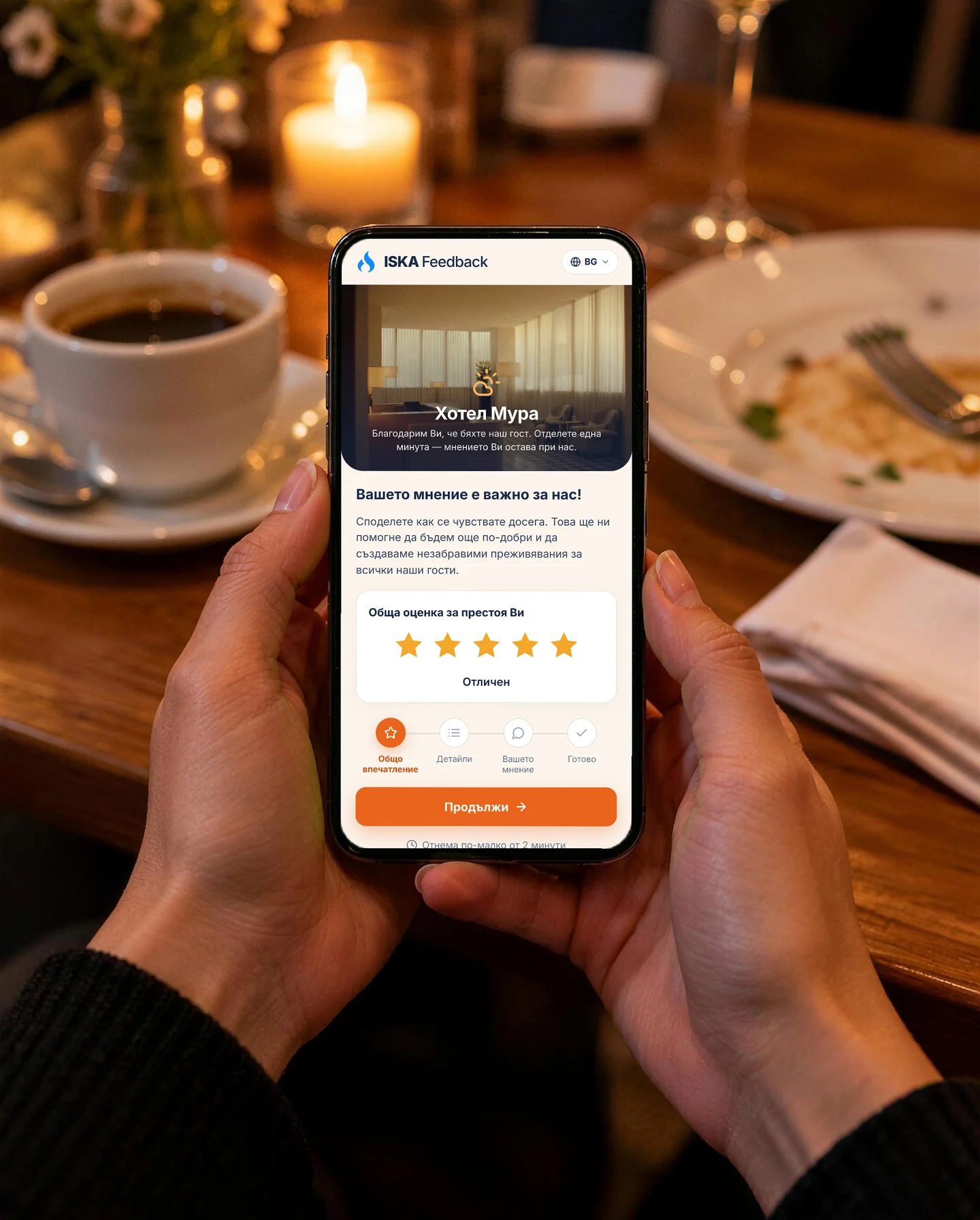
Guest filling in the ISKA Feedback form on their phone
Guests leaving a guest house

The silent guest

Most guests say nothing on the spot. Some of them say it in a public review — after they have already left and nothing can be put right. Meanwhile, the team does not know what works and what annoys.

ISKA Feedback asks the guest while they are still with you.

This is what ISKA Feedback looks like

One question, half a minute

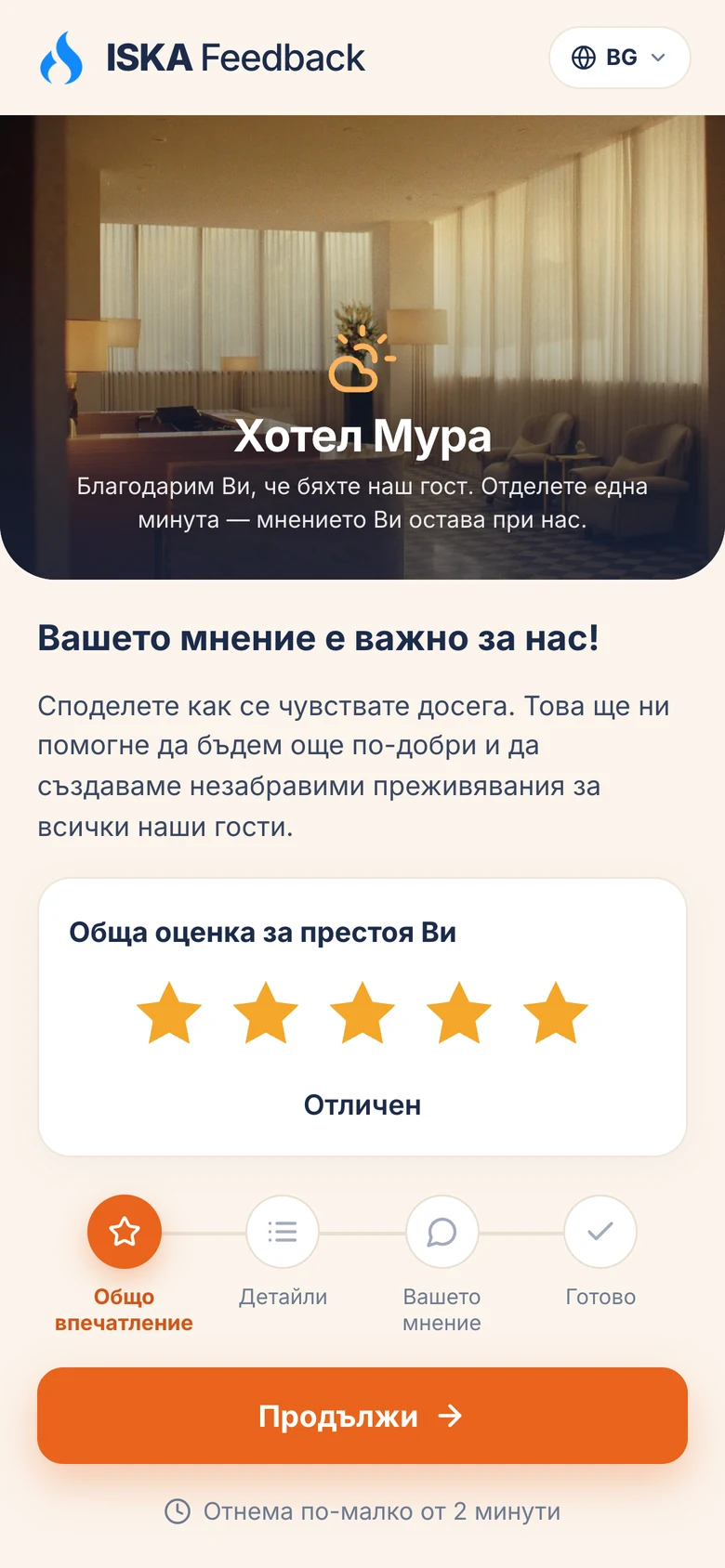
The guest scans the QR code in the room or at the table, gives a rating for your categories and decides whether the review can be made public. No app, no registration.

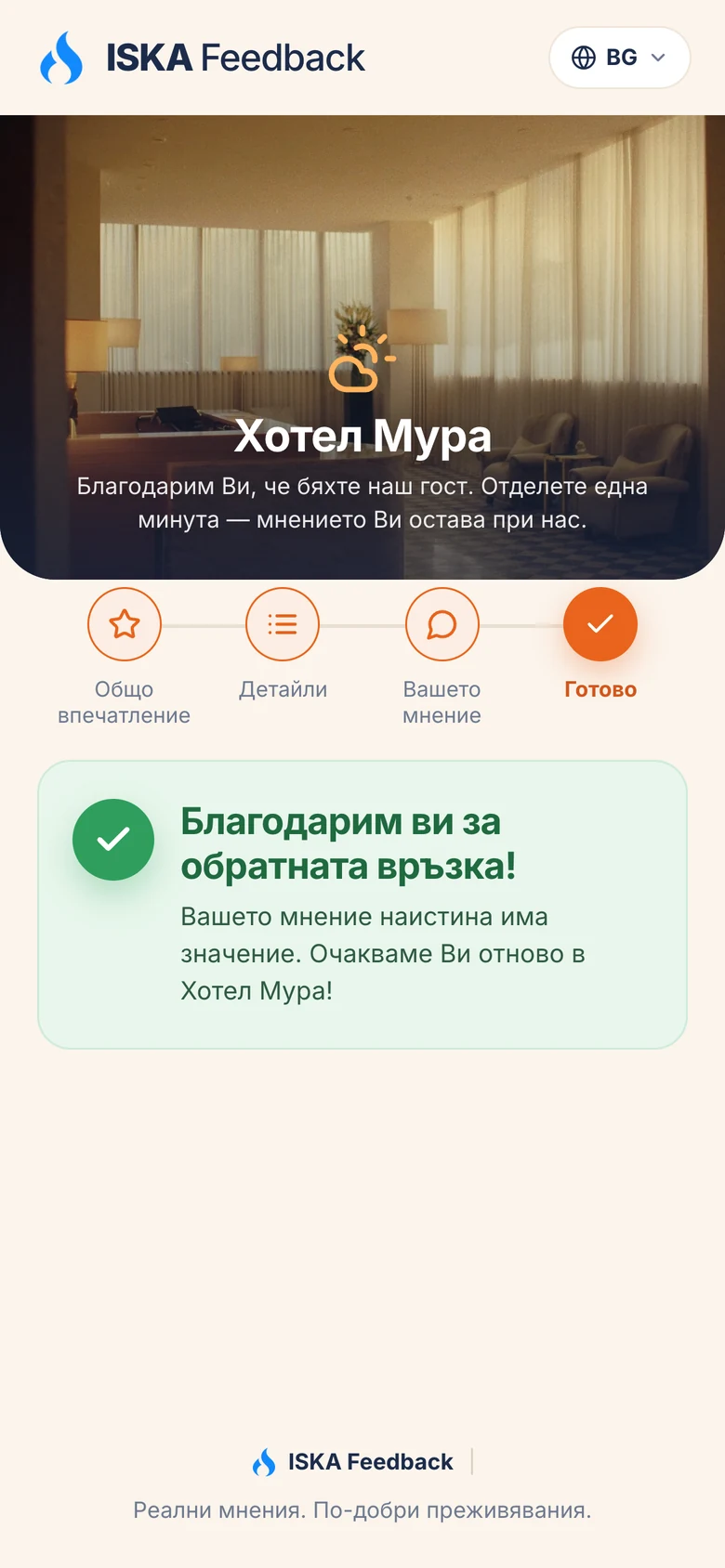
The form on the guest's phoneShort and clear — the guest answers in less than a minute.
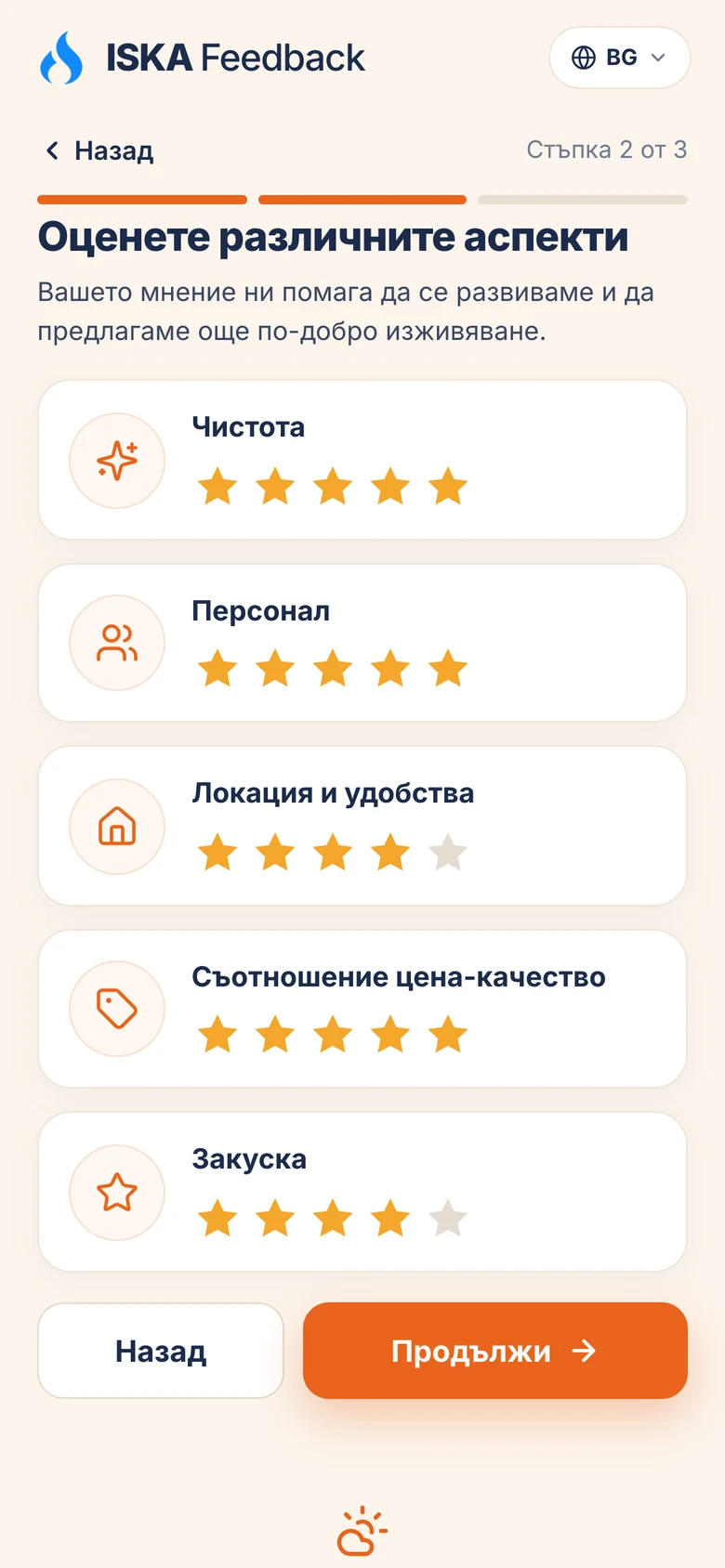
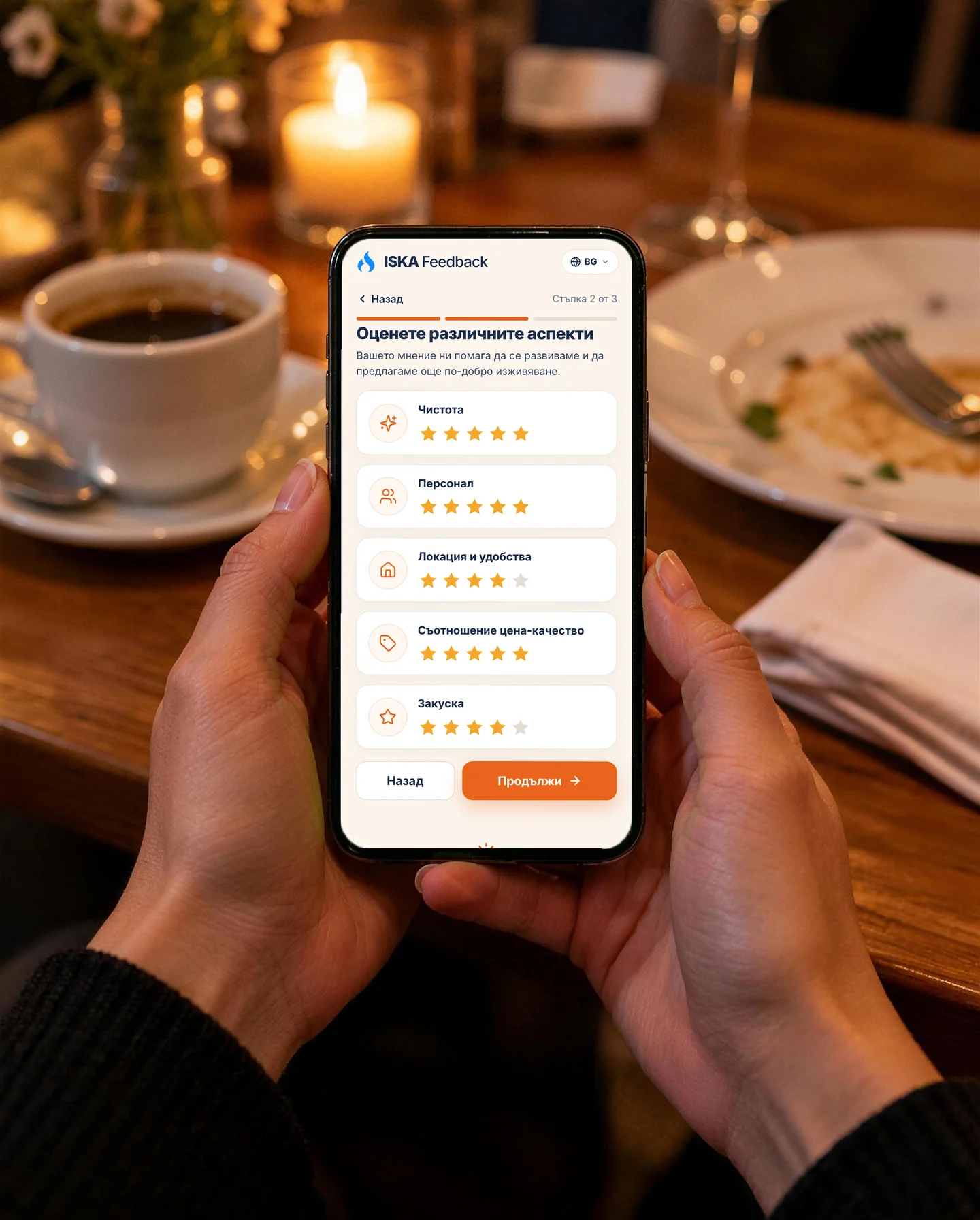
Rating by categoryYou see not only that something is wrong, but exactly where.
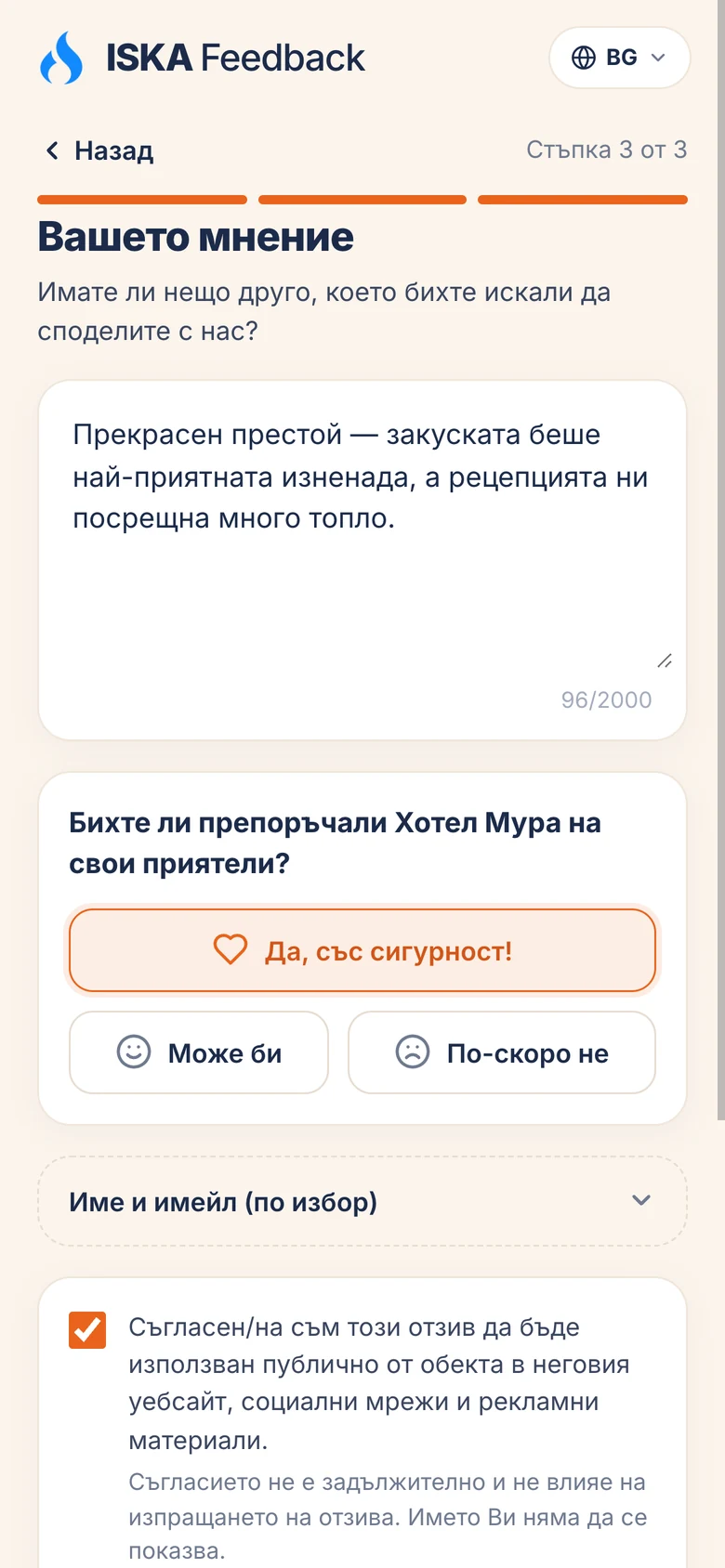
Comment and consentThe guest decides for themselves whether the review can be made public.
A thank-you after sendingThe guest knows their opinion has reached you.

Demo data.

Everything in one place

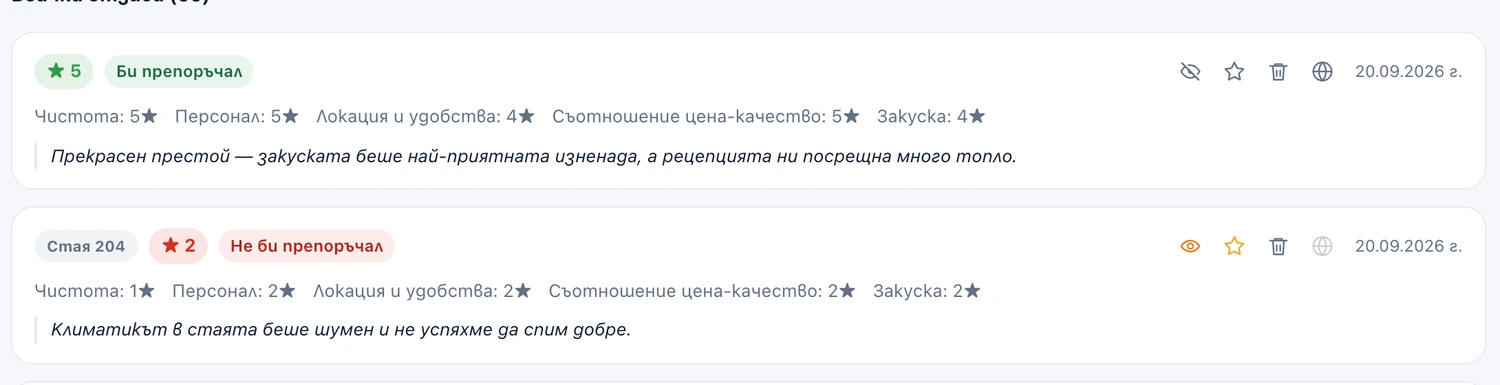
Each response comes with the ratings, the comment and the guest's language. You mark a response as read, flag the important ones and archive the finished ones — so the team knows how far it has got.

  1. The list of responses

    The whole stream in one place, with rating and comment.

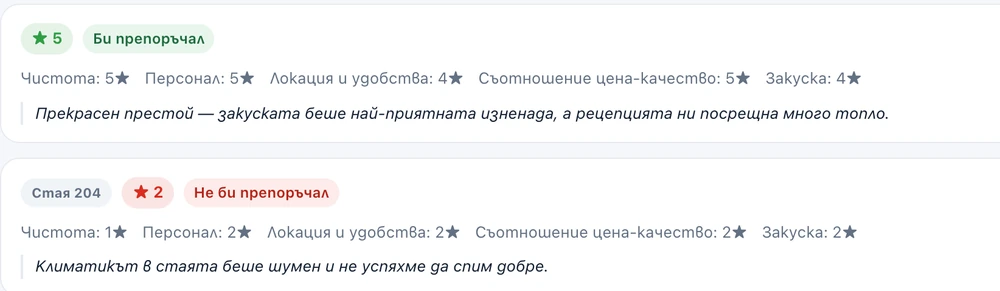
  2. One response in detail

    You mark it as read, important or archived.

The list of responses in the client portal
One response in detail, with the statuses read, important and archived

The client portal. Demo data.

Hotel manager at reception

The problem is visible while the guest is still with you.

What the numbers say

  • average rating and number of responses;
  • share of satisfied guests;
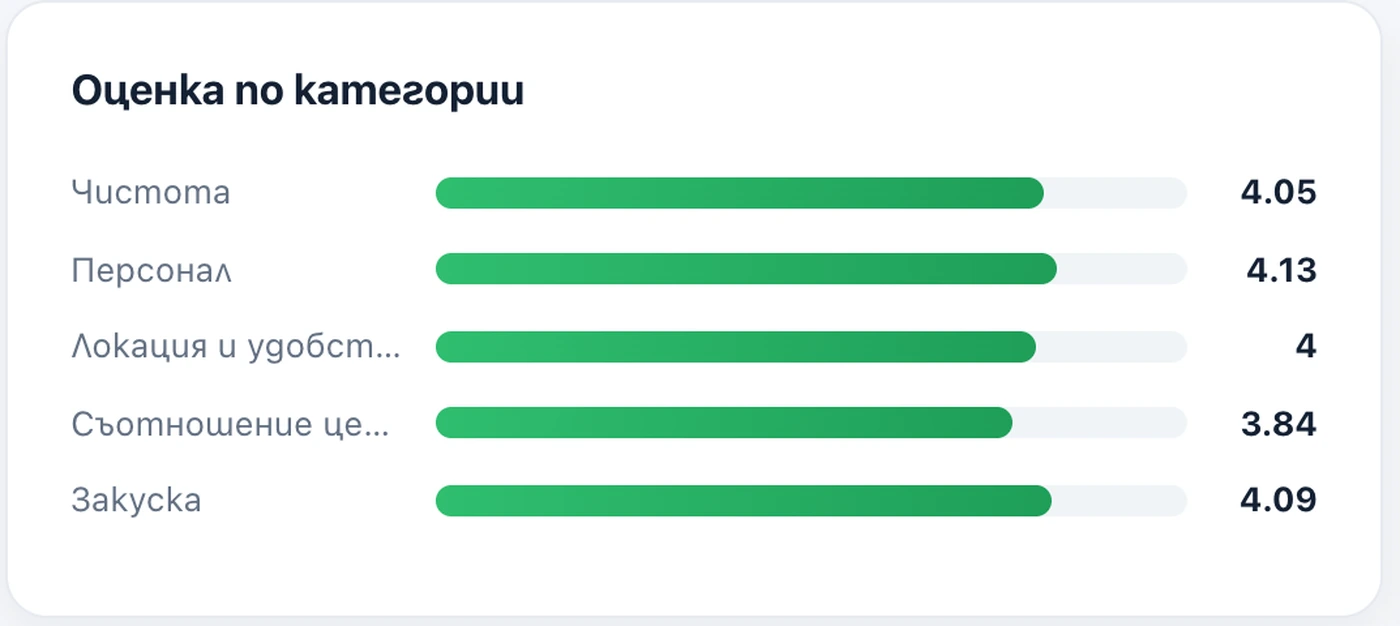
  • average rating by category and distribution by stars;
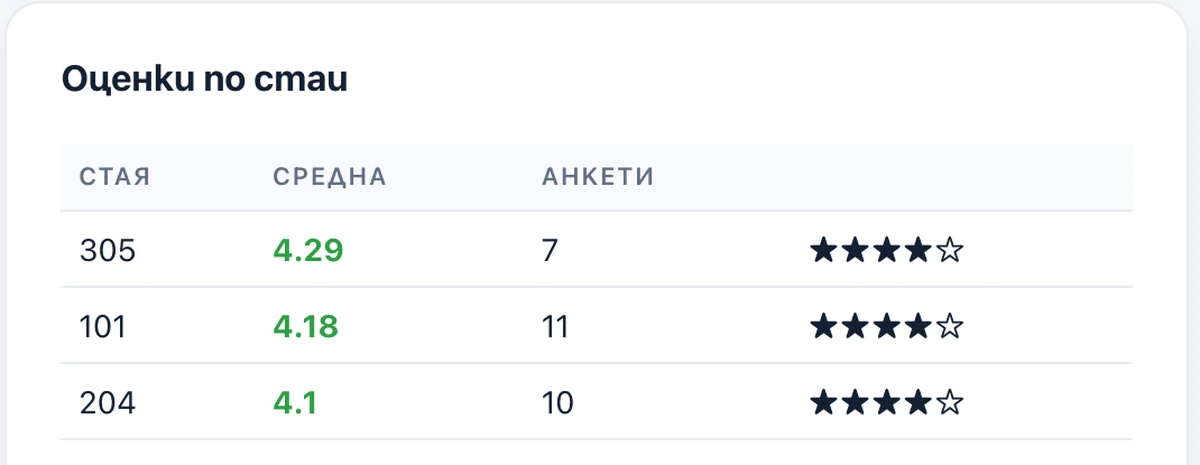
  • results by room;
  • trend by month.

That is all — no automatic conclusions and no promises of growth.

Average rating, number of responses and share of satisfied guests

Statistics in the client portal. Demo data.

Average ratings by category
Results by room

Demo data.

QR codes

You create codes with a name and a colour and see how many times they have been scanned.

Codes are created in ISKA

A general code for reception or the restaurant, and a separate code for each room.

Name and colour

So you know where the review comes from.

ISKA counts the scans

You see which code is used and which is not.

QR code management in ISKA

Demo data.

How you get started

  1. You prepare the categories.

    Cleanliness, staff, food, room — what matters for your venue.

  2. You create the QR codes.

    With a name and a colour, so you know where the review comes from.

  3. You publish the form.

    Guests can now respond.

  4. You read and mark.

    You see what comes up repeatedly and react while the guest is still with you.

Rating by category in ISKA Feedback on a guest's phone

Who it is for

Hotels

rating by room and by category, so you can see where the problem is.

Restaurants

QR code on the table and a short form, without interrupting dinner.

Guest houses

one question after the stay, without paper surveys.

Guest at a restaurant table after dinner

Price

ISKA Feedback€99a year

Start with ISKA Feedback See pricing
  • Unlimited categories
  • QR codes with a name and a colour, and scan statistics
  • Statistics by category, by room and by month
  • An approved review can become public with the guest's consent

Two perspectives

Benefits for the business

  • feedback comes to you, not only to a public website
  • you see exactly where the problem is, by category
  • you see the results separately for the restaurant and for the rooms
  • you also hear from guests who would not write a public review

Benefits for the guest

  • half a minute, with no registration and no app
  • says it while still with you
  • the review becomes public only with their “yes”
  • stays anonymous or leaves contact details if they want a reply

FAQ

How does the guest leave feedback?

They open the form from a QR code or a link in their phone's browser. No app or registration is needed.

What does the guest fill in?

An overall rating, ratings for your categories and an optional comment. They can leave a name and email if they want a reply.

Can I choose the categories?

Yes. You set the categories, their order and which ones are active.

Where do I put the QR code?

You create the codes in ISKA — with a name and a colour — and place them in the room, on the table or at reception. ISKA counts the scans.

What do I see after a guest responds?

The ratings and the comment, with the option to mark the response as read, important or archived.

What statistics are there?

Average rating, number of responses, share of satisfied guests, average ratings by category, distribution by stars, results by room and trend by month.

Can I publish a review?

Only if the guest has given consent for it themselves. The consent can be withdrawn.

Does ISKA send guests to Google?

No. ISKA Feedback collects the feedback at your end.

Do I need a PMS?

No. ISKA Feedback works on its own.

What language is the form in?

In Bulgarian and English — the guest chooses the language at the top of the form. The title, the invitation, the thank-you and the category names are entered in both languages.

How much does it cost?

€99 a year. No trial period.

Is the feedback anonymous?

The guest decides. Name and email are optional; without them you receive the ratings and the comment without any details about the guest.

Can I reply to the guest?

In ISKA you mark the response as read, important or archived. If the guest has left an email, you get in touch with them as you usually do — ISKA does not send messages to guests.

Will I find out straight away when a guest leaves feedback?

Responses are visible in the portal immediately. No email is sent.

Can guests see other people's reviews?

No. The feedback stays with you. Only a review for which the guest has given consent appears publicly.

Can I collect feedback separately for the restaurant and for the rooms?

Yes. You create separate QR codes and see the results by location.

What happens with a bad rating?

You see it in the portal along with the others. ISKA does not filter or hide ratings — that is the whole reason to collect the feedback at your end, before the guest writes it publicly.

Get in touch

Hear the next guest in time