ISKA Restaurant · Pro

Faster service from every table.

QR menu, waiter calls, bill requests and orders — from the guest's phone to the team.
  • No app for guests
  • Works in a browser
  • Managed from a phone
  • Digital and paper menu
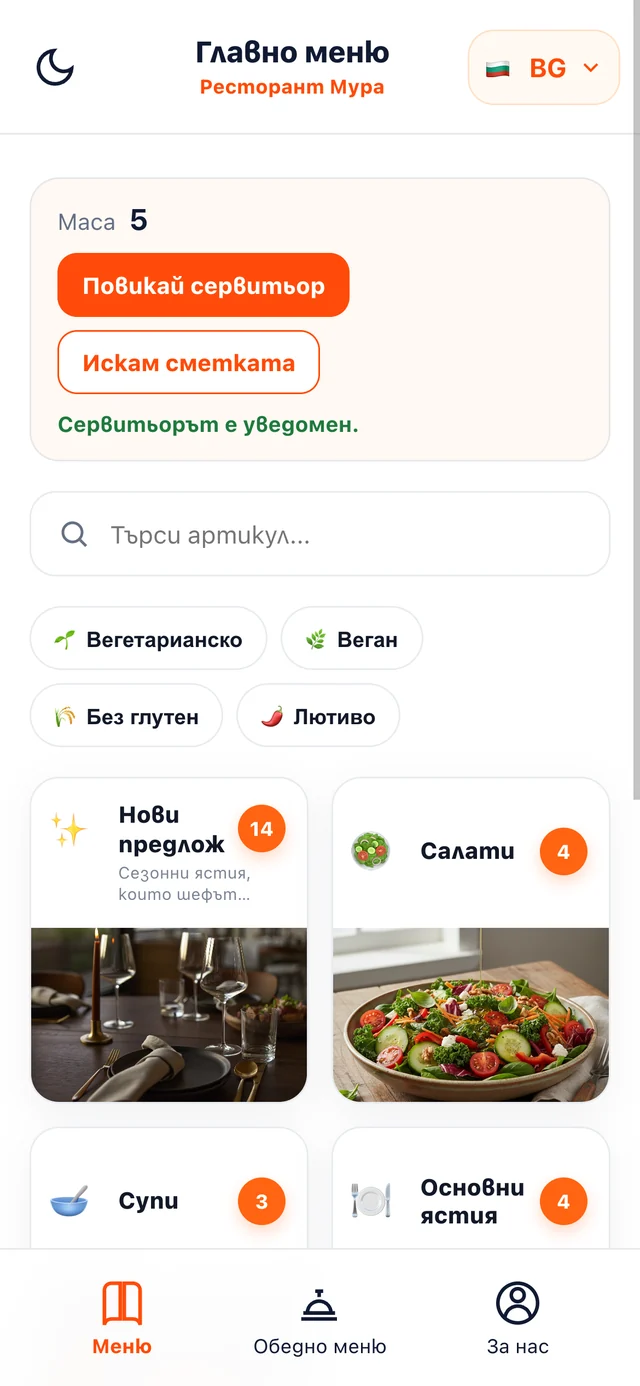
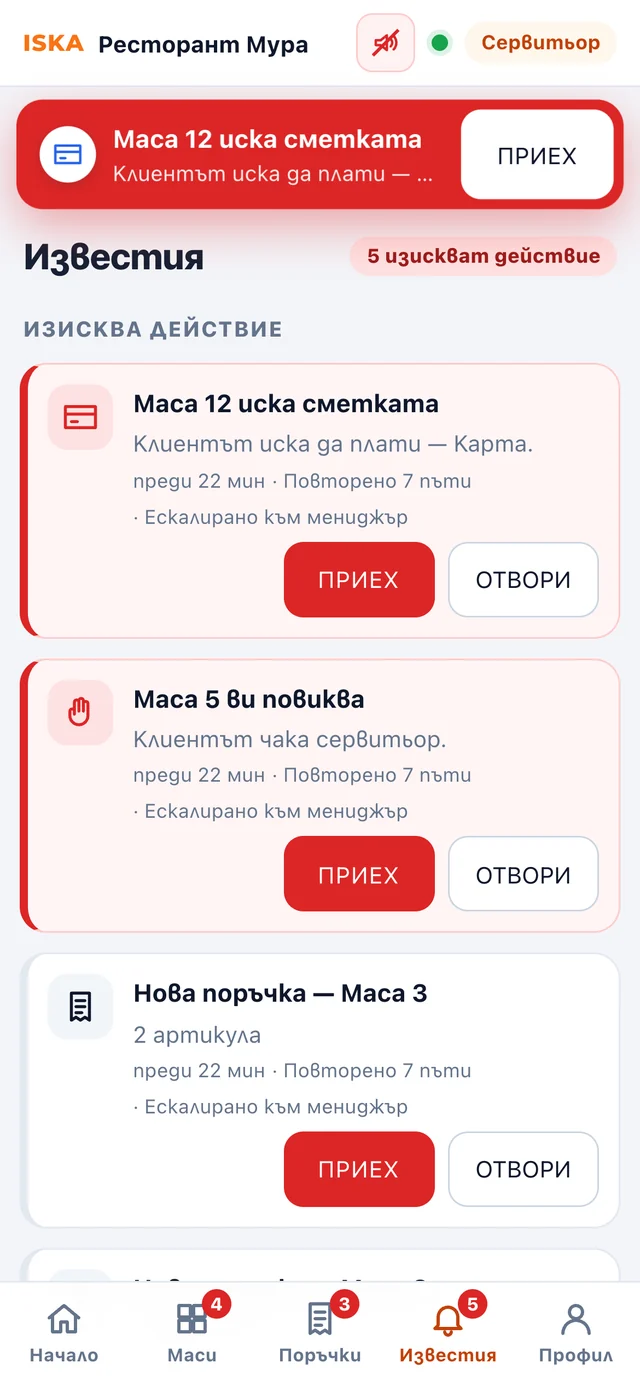
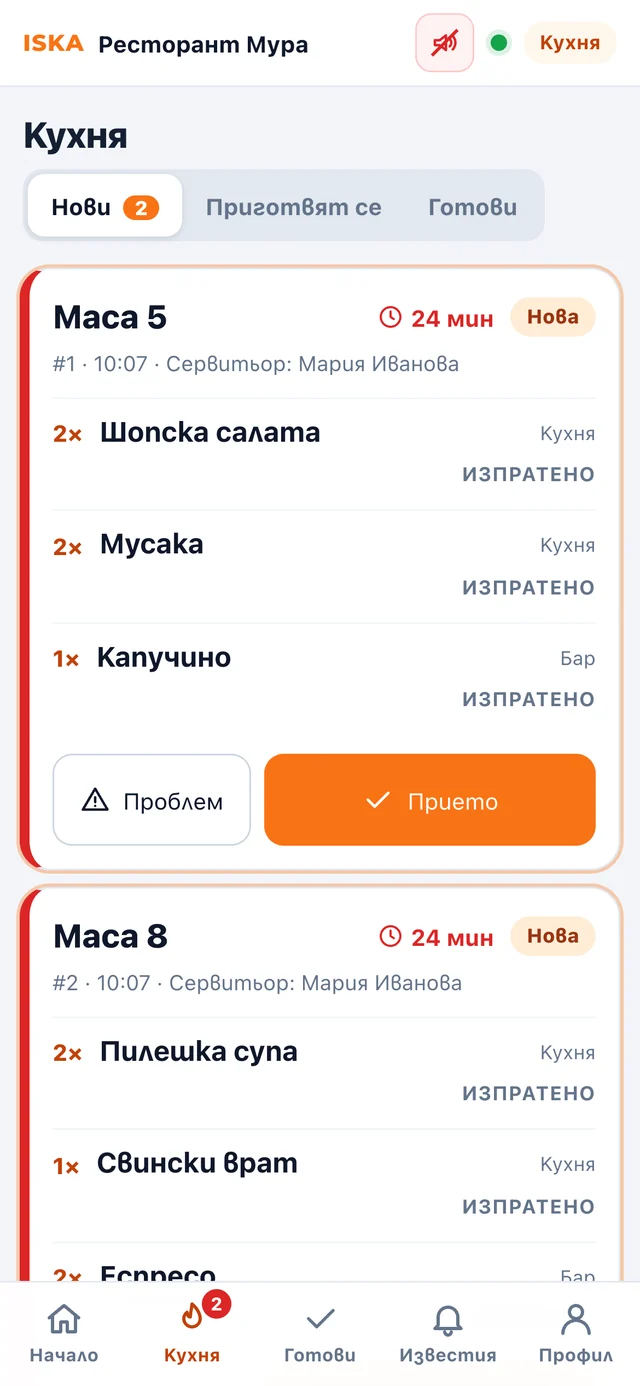
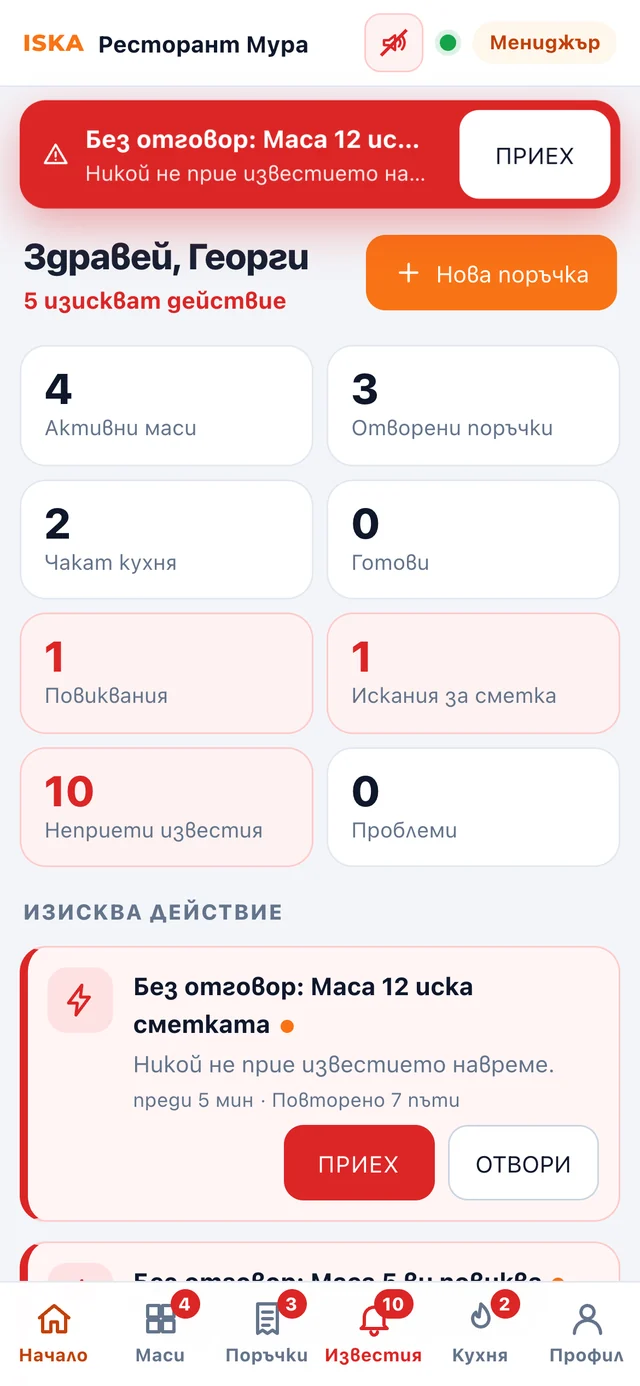
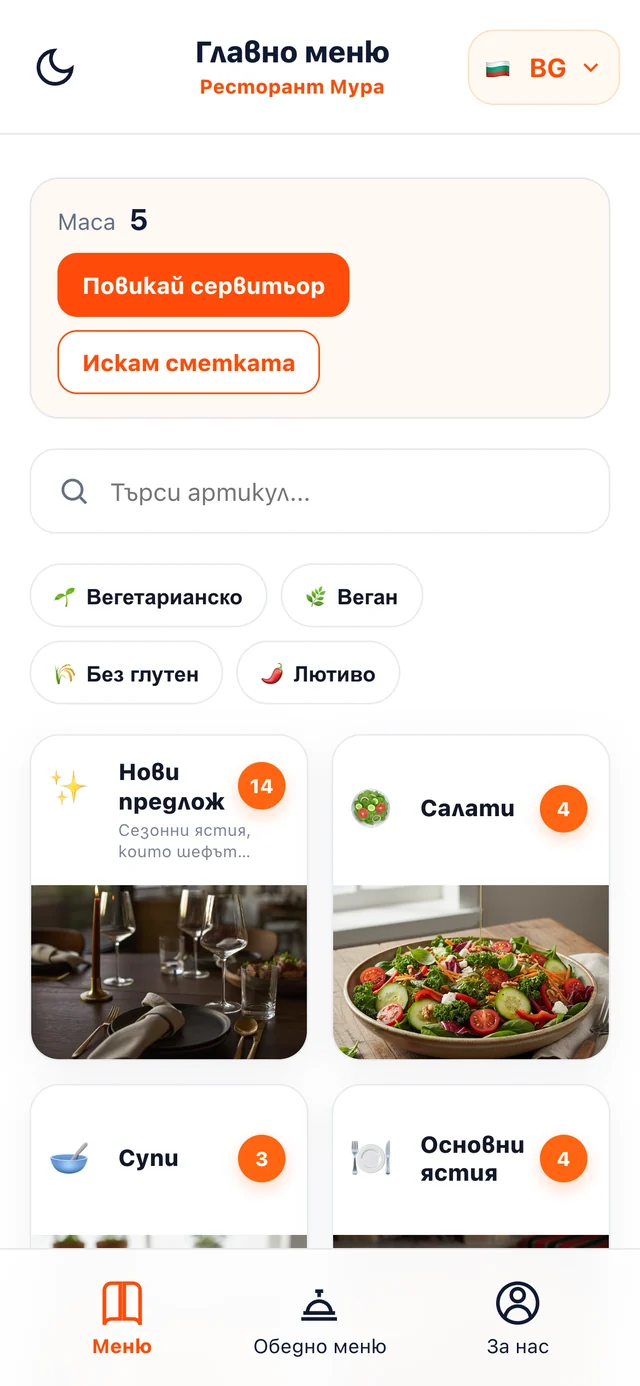
The ISKA Restaurant · Pro QR menu on the guest's phone, with “Call a waiter” and “Ask for the bill” buttons The guest chooses “Call a waiter” in the table's QR menu The waiter's notifications with a GOT IT button: bill, call and new order. The ISKA Restaurant · Pro kitchen screen with new, being prepared and ready orders The ISKA Restaurant · Pro manager overview with active tables, open orders and unaccepted notifications
Real screens from ISKA Restaurant · Pro
  1. Guest · Table 5Scans the table's QR code and opens the up-to-date menu — without an app.
  2. Guest · Table 5Taps “Call a waiter” or “Ask for the bill” — cash or card.
  3. WaiterGets a notification with a sound and picks it up with GOT IT. The others see that the request has someone responsible.
  4. KitchenSees the submitted order with a timer, prepares it and marks it “Ready”.
  5. ManagerSees what is waiting, who is on shift and what has escalated — without going round the dining room.
Real screens. Hold to pause.
ONE TABLE · FOUR SCREENS

From the table to the kitchen and back

Every screen below is a real ISKA interface, not an illustration. What the guest taps is what the team receives.

  1. 1Guest

    The guest chooses on their phone

    Opens the menu, calls a waiter or asks for the bill; orders from the table if you have switched this option on.
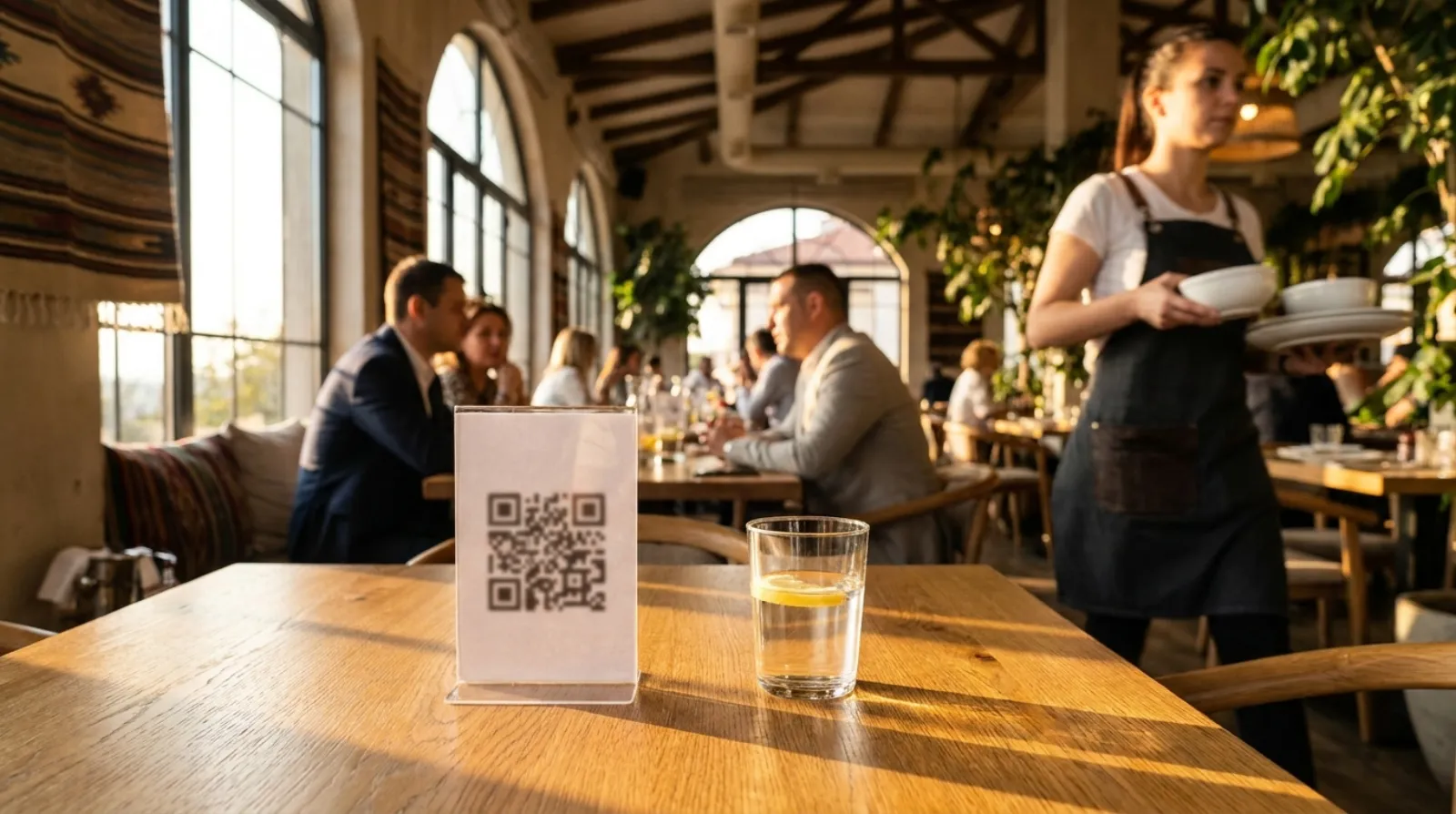
    • Scans, browses, searches and filters
    • Language, allergens and availability — always up to date
    • “Call a waiter” with a single button
    • “Ask for the bill” with a choice of cash or card
    • Ordering from the table with notes for the kitchen — the restaurant's choice
    The ISKA Restaurant · Pro QR menu at the table: “Call a waiter” and “Ask for the bill” buttons.
  2. 2Waiter

    The waiter picks up the request with GOT IT

    Receives a notification, picks up the request and sends the order, with modifiers and notes, to the kitchen or the bar.
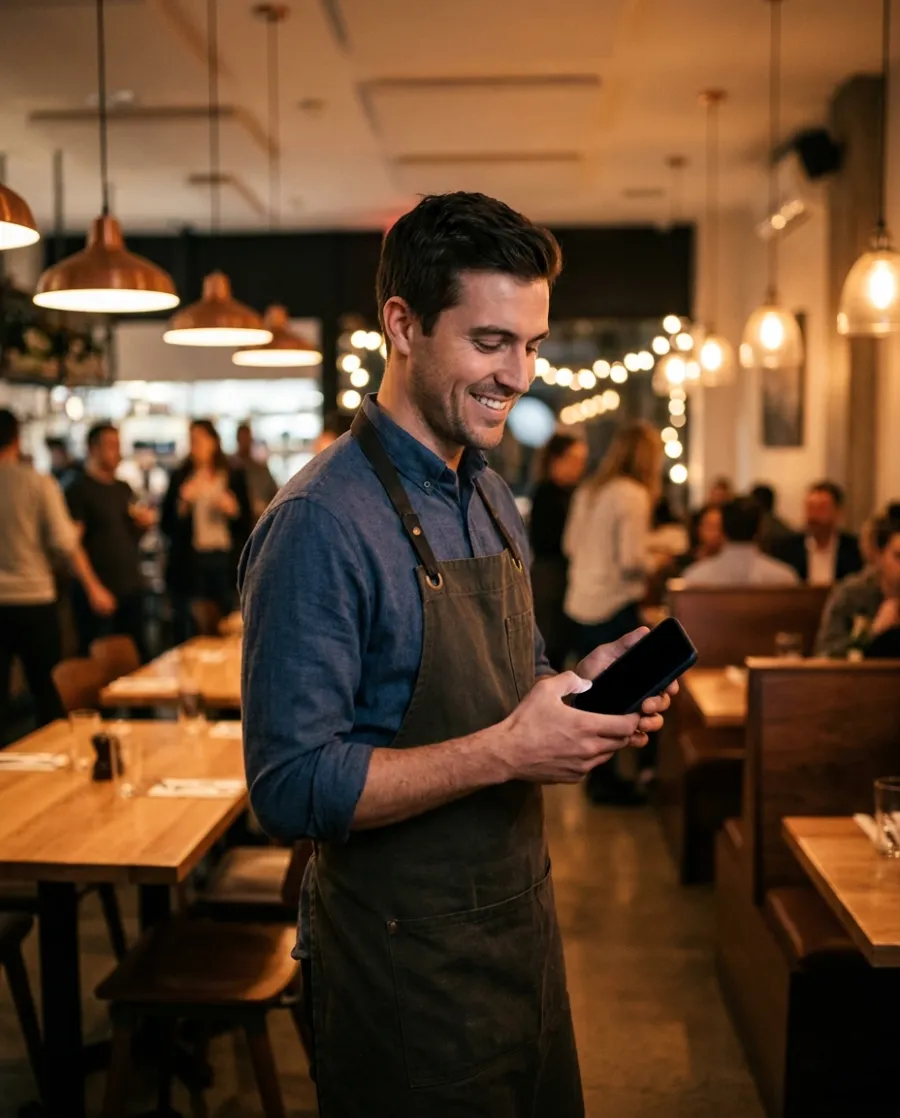
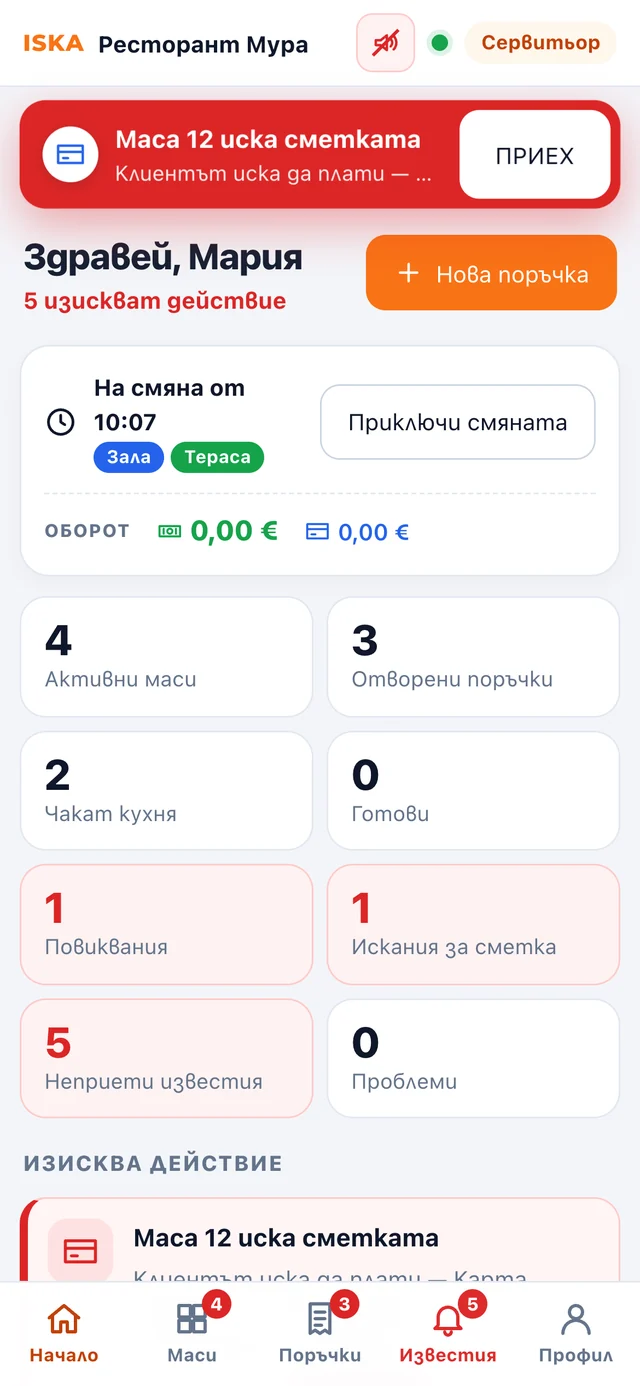
    • Tables by status: free, calling, waiting for the kitchen, ready, asking for the bill
    • Notifications with sound, vibration and push — including on a locked screen
    • GOT IT: one request, one person responsible
    • Orders with modifiers and notes, sent to the kitchen or the bar
    • A ready order sends a notification straight to that waiter's phone
    The waiter's notifications with a GOT IT button: bill, call and new order.
  3. 3Kitchen

    The kitchen marks dishes as ready

    The screen shows orders by table, status and time; when an order is ready, it notifies the waiter.
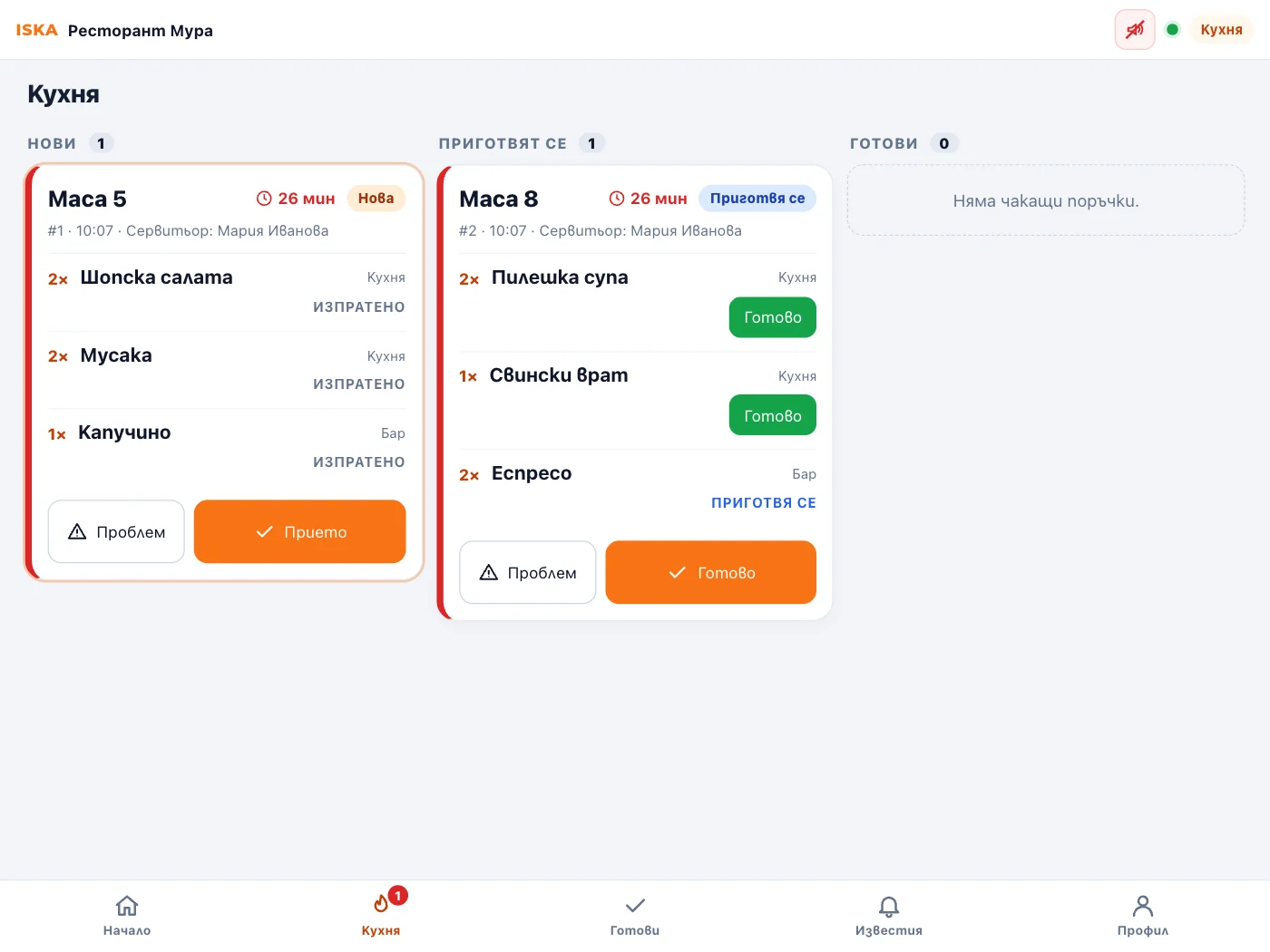
    1. New
    2. Accepted
    3. Being prepared
    4. Ready
    • A timer on every order, with colour escalation
    • Separate stations for the kitchen and the bar
    • “Ready” line by line or for the whole order
    • Problem reporting: item unavailable, delay, change needed — the waiter and the manager find out straight away
    The ISKA Restaurant · Pro kitchen screen on a tablet
  4. 4Manager

    The manager keeps track of waiting tables

    Sees unaccepted notifications, orders and problems from the kitchen; can close or reopen a table.

    • Who is on shift and in which areas
    • Unaccepted notifications and escalations in one place
    • Problems from the kitchen and tables that are waiting
    • Configurable repeat and escalation times
    The ISKA Restaurant · Pro manager overview
NOTIFICATIONS THAT DON'T GET LOST

Every request has someone responsible

With GOT IT, the staff member picks up the request, and the team sees who is responsible for it.

  1. Table 8
  2. Call a waiter
  3. Notification
  4. GOT IT
  5. Request picked up
If nobody responds
  1. Repeat to the same waiterafter 30 sec
  2. To the other waiters on shiftafter 60 sec
  3. To the managerafter 120 sec
Default values; the restaurant can change them.

The real signals from ISKA Restaurant · Pro. They play only when pressed — never automatically.

One person responsible

The first person to press GOT IT picks up the request. The others see who accepted it — no two waiters at the same table.

A loud signal, not a quiet badge

Separate 2–3-second signals for a call, a bill request, a ready order and a problem. A push notification on a locked screen too.

Step-by-step escalation

A repeat to the same person, then to the others on shift, then to the manager. No request is left “somewhere”.

History, not memory

Every notification keeps a record of who accepted it and when. Unaccepted ones show in the manager overview, and a dropped connection is restored without any lost events.

ANALYTICS

Understand how guests use the menu

Compare views, searches, languages and devices by period and download a CSV; this is menu data, not till sales.
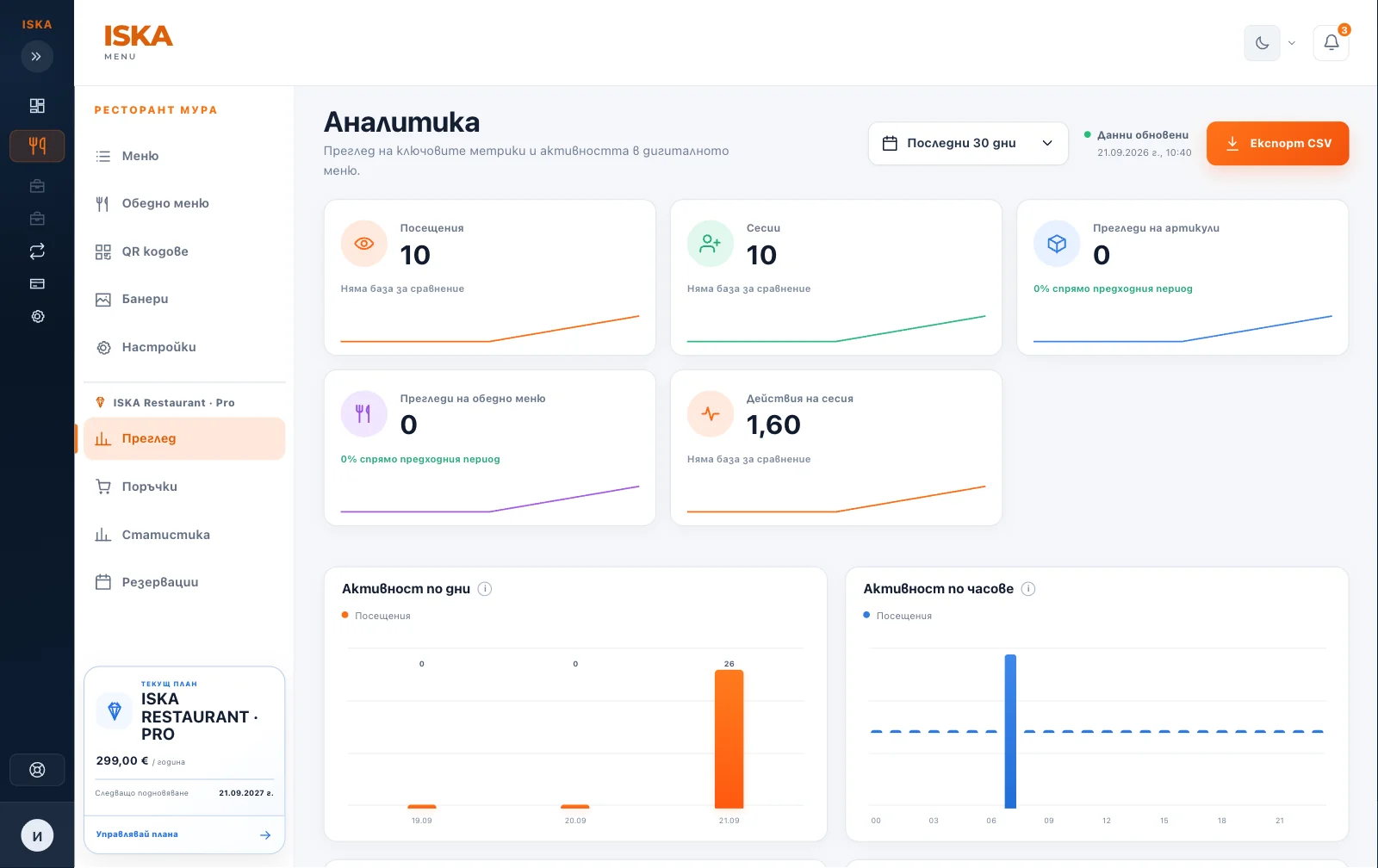
  • Most-viewed categories and items
  • Menu searches
  • Guests' languages and devices
  • Scans, calls and orders from the tables
  • Comparison by period and CSV export
The ISKA Restaurant · Pro analytics dashboard in the client portal

Everything from ISKA Menu · Plus is included

The menu, photos, lunch menu and translations are managed in the same way — ISKA Restaurant · Pro adds table service. Up to 10 menu languages.

Explore ISKA Menu
YOUR TILL STAYS YOURS

Keep your current till system

ISKA organises the service; payment and the fiscal receipt stay in your existing process.

ISKA Restaurant is not
  • A till, POS or fiscal device
  • Card payment processing — the payment status is informational
  • An inventory, recipe or accounting system
  • An app the guest has to install
  • A reason to remove the paper menu

The goal is for requests from the table to reach the right person on time, and for the menu to be always up to date — without changing your till or your processes.

SETUP

Start with the menu in three steps

  1. 1

    You create the restaurant

    Enter the venue, opening hours, contact details and languages.

  2. 2

    You add or import the menu

    Enter items and prices, or import your existing menu.

  3. 3

    You place the QR codes

    Place the codes; the team signs in from a phone and turns on notifications.

Who it is for

Restaurant with table service

Calls, bills and orders reach a specific waiter, and the kitchen sees everything in time.

Venue with a lunch menu

The daily menu changes every day, without reprinting.

Hotel restaurant and lobby bar

Menu and service connected with the venue's other ISKA products.

Bar and café

A separate station for the bar, quick calls from the tables, an up-to-date drinks menu.

Restaurant in a tourist area

A multilingual menu for international guests, depending on the plan.

Price

No commission on orders.

ISKA Restaurant · Pro

For table service: a QR code for every table, waiter calls, bill requests, orders to the kitchen and notifications for the team.

€299a year
Includes table service
  • Up to 10 menu languages
  • Item photos
  • Lunch menu
  • QR code for every table, waiter call and bill request
  • Orders from the table, kitchen screen and team notifications
Register interest
Compare with ISKA Menu · Plus I'd like to discuss individual terms →

More products for your property

Suitable for

Helps with

Two perspectives

Business benefits

  • every request has one person responsible
  • nothing goes unclaimed — the notification escalates step by step
  • the order reaches the kitchen with the table, the waiter and the notes
  • the manager sees what is waiting, without going round the dining room

Guest benefits

  • calls a waiter without having to wave
  • asks for the bill and says how they will pay
  • orders from the table when the restaurant has switched ordering on
  • reads the menu in their own language
FREQUENTLY ASKED QUESTIONS

FAQ

Does the guest need to install an app?

No. The guest scans the QR code and opens the menu directly in their phone's browser. Calling a waiter, requesting the bill and ordering work the same way.

Can I also use a paper menu?

Yes. ISKA does not require the paper menu to be removed. The two can be used side by side, and the digital one always stays up to date.

Is payment available through ISKA?

Not in the current version. Staff can mark, for information, how it was paid — in cash, by card or otherwise — but ISKA does not process the transaction itself.

Do I have to change my POS system?

No. ISKA Restaurant · Pro can be used as a separate layer for the digital menu, service, orders and the kitchen, alongside the till.

Are different languages available?

Yes, up to 10 menu languages. Only the activated languages are shown publicly.

How long does setup take?

The restaurant is created through a step-by-step wizard, the menu is added or imported, and the QR codes are ready to print straight away. The content itself takes the longest — photos, descriptions and translations.

Every request from the table — to the right person, on time

Add the menu and get the QR codes for the tables ready.